
Grocery prices just keep climbing, don’t they? Every week, it feels like your budget gets squeezed a little tighter. If you’re tired of wasting hours clipping coupons or running all over town for deals, you’re not alone.
Apps like Flipp scan weekly ads and match deals to your shopping list, but honestly, there are a bunch of other tools out there for price comparisons, cashback rewards, and digital coupons. Some folks save $100 to $200 a month on groceries just by using them.

Let’s walk through the best alternatives to Flipp that actually help you keep more money in your wallet. You’ll see which apps compare prices across stores, which ones pay you cash back on stuff you already buy, and how you can stack a few tools together for even bigger savings—without making your shopping routine a headache.
Key Takeaways
- Apps like Flipp, Basket, and Ibotta help you find grocery deals using weekly ads, price comparisons, and cashback rewards.
- If you use digital coupon apps alongside price comparison apps, your monthly savings can really add up.
- Building your shopping list around deals and scanning receipts for cashback can cut your food spending by $100 to $200 every month.
What Makes Flipp and Similar Apps Essential for Grocery Savings

Grocery shopping apps have totally changed the way families track prices and hunt for deals. Now, you get weekly ads and digital coupons all in one spot, so you’re not bouncing between store websites or sorting through a pile of paper flyers.
These tools let you compare sales before you even step out the door. You can plan your meals based on real discounts instead of just hoping you’ll find a good price at the store.
How Digital Shopping Apps Work

Most grocery savings apps are pretty straightforward. You download the app, pop in your zip code, and pick the stores you actually shop at. The app pulls in current weekly ads from those places.
Apps like Flipp show you digital versions of store circulars, just like the paper ones. You can flip through page by page or just search for something specific.
When you spot a deal, you tap it and add it to your shopping list right in the app.
Some apps connect with store loyalty programs, so discounts show up automatically at checkout. Others want you to clip digital coupons before you shop—kind of like old-school couponing but without all the paper scraps.
The real magic happens when you compare prices across stores. Instead of driving all over to see who has the best deal on, say, chicken, you can check prices from your couch in about two minutes.
Transition from Paper to Digital Coupons

Paper coupons are still around, but honestly, they’re fading fast. Stores keep pushing shoppers to their apps and websites for deals.
Big chains now drop app-only deals you’ll never see in the Sunday paper. Retailers save money on printing, and they get to track what you buy.
For you, it means less clutter and no more forgetting your coupon envelope at home. Digital coupons just sit in your phone, ready when you need them.
The catch? If you shop at a bunch of different stores, you might still need to download their individual apps. Target has Target Circle. Kroger’s got their own system. Albertsons runs a separate deal program.
Apps like Flipp help by putting weekly ads from different stores in one place, but if you want certain digital coupons, you’ll probably need the specific store app.
Most digital coupons load straight to your loyalty card. You clip them once, and the discount comes off automatically when you check out.
Key Features to Look For

Price comparison tools really separate the good apps from the “meh” ones. You want to search for one item and see prices at all your local stores. This alone can save you $20-30 a week if you’re willing to split your shopping.
Shopping list integration matters more than you’d think. The best apps let you build your list as you browse sales, then sort the items by store and aisle.
Some, like Flipp, let you set a watch list for certain products and ping you when they go on sale.
Store coverage is a big deal. An app might work great in big cities but be useless in rural areas. Always check which stores the app covers before you spend time setting it up.
Here’s what actually matters in a grocery savings app:
- Search that finds products across all your local stores.
- Receipt scanning if you want cash back (though, yeah, it’s an extra step).
- Notifications that alert you to sales on stuff you buy all the time.
- A simple interface—nobody wants to tap through five menus just to see a price.
Skip any app that makes you watch videos, fill out surveys, or play games for points. Your time’s worth way more than those gimmicks pay out.
Top Apps Like Flipp for Finding Grocery Deals
Flipp is great for weekly circulars, but other apps save you money in different ways. Cash back apps like Ibotta pay you after you shop, while Checkout 51 and Fetch Rewards turn your receipts into real savings.
Ibotta for Earning Cash Back

Ibotta pays you real money for buying groceries you already get. You just select offers before you shop, buy those products, and upload your receipt.
It works at most major grocery chains. You can stack Ibotta’s cash back with store sales and manufacturer coupons for triple savings on one item.
Most offers start at $0.25 per item, but you’ll sometimes see $1-3 back on featured products. Once you hit $20 in your account, you can cash out to PayPal or Venmo. Lots of people say they earn $20-40 a month just doing their regular shopping.
The catch? You have to check offers before you shop. If you forget, you can’t get credit for those purchases. Ibotta also wants a photo of your receipt, so there’s an extra step after checkout.
Some deals are brand-specific, so you need to buy the exact product—not the store brand. Ibotta works best when it features stuff you buy anyway.
Checkout 51 for Simple Savings

Checkout 51 is a lot like Ibotta but even simpler. Every week, it drops new offers on groceries and household stuff. You shop anywhere, buy the featured products, and scan your receipt.
Offers change every Thursday and usually cover 20-30 products. Cash back ranges from $0.25 to $3 per item. You can shop at any store that sells the featured items, which is nice if you don’t want to be tied to one chain.
Once you reach $20, they mail you a check. It takes longer than digital payments, but some folks actually prefer getting a physical check.
You don’t have to select offers ahead of time. You can check the app after shopping to see if anything you bought qualifies. That’s handy for last-minute or unplanned trips.
The downside? Fewer offers than Ibotta. Depending on your habits, you might only find a couple useful deals each week.
Fetch Rewards and Gift Card Programs

Fetch Rewards does things differently. It rewards you for almost any grocery receipt—no need to buy specific items or check offers first. Just scan any receipt from any store and earn points.
You get points for every dollar you spend, plus bonuses for featured brands. Points turn into gift cards for Amazon, Target, Walmart, and a bunch of other places. Most gift cards start at 3,000 points, or about $3.
Most people earn a $5-10 gift card every month without changing how they shop. If you buy a featured brand, you can snag big bonus points—sometimes 500 points for a single box of cereal.
You don’t need to plan or select offers. That makes Fetch the easiest for passive savings. Just shop like normal and get rewarded.
Downside? You earn less per receipt than with targeted cash back apps. It’s more like pennies than dollars per item. Fetch works best when you combine it with apps like Flipp and Ibotta.
Gift cards also mean your savings are stuck at certain stores. You can’t just transfer points to cash like you can with Ibotta.
See Related: Frugal Habits: Money-Saving Tips for a Thrifty Lifestyle
Price Comparison Tools to Maximize Grocery Savings

Price comparison apps let you scan barcodes and check prices across different stores before you buy. You can save 15-30% on groceries each month this way.
Some tools focus on barcode scanning for instant comparisons. Others track online grocery prices or pull in deals from a bunch of retailers.
ShopSavvy’s Barcode Scanner
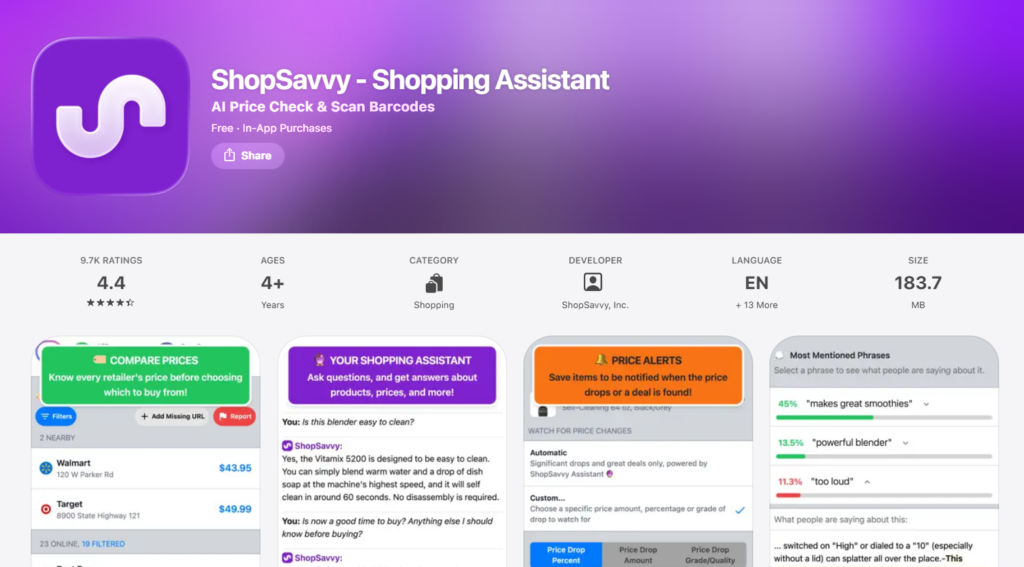
ShopSavvy built its reputation on fast barcode scanning that pulls up prices from nearby stores in seconds. You scan an item in one store, and the app shows you what it costs at Target, Walmart, or other local spots.
The barcode scanner works best for packaged goods with standard UPCs. You’ll see prices from both physical stores and online retailers, which helps you decide whether to buy now or order later.
The app tracks your scans and sends alerts when prices drop on things you’ve searched before.
ShopSavvy struggles with fresh produce, bakery items, and store-brand stuff that doesn’t have a universal barcode. It’s also not great if you live in a rural area with limited stores. The free version has ads, but you can pay $3-4 to ditch them and get price history charts.
Use it when you’re shopping for branded goods like cereal or cleaning supplies—those prices can swing a lot between stores.
Instacart for Comparing Store Prices
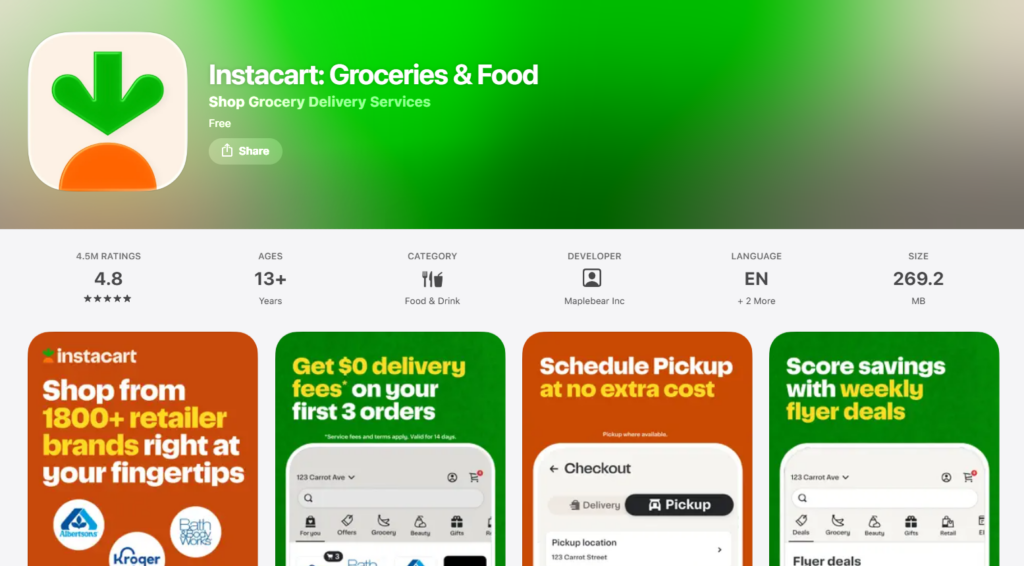
Instacart started as a delivery app, but it’s actually pretty handy for comparing store prices. It shows real-time pricing from multiple grocers in your area.
You can search for an item and see what it costs at Kroger, Safeway, Costco, and others—without leaving your house.
This is best for planning your trip, not for checking prices in the aisle. You can build a cart at a few stores, compare the totals, and pick where to shop based on your whole list. Heads up: some stores mark up prices on Instacart by 10-20%, so it’s not always showing you in-store costs.
The comparison feature only works for stores that partner with Instacart in your zip code. If your favorite store isn’t on the platform, you’re out of luck.
You don’t need to order delivery to use the price comparison, but you do need an account. Check Instacart before your weekly shopping to see which store gives you the best deal for your list.
Basket and Other Price Comparison Apps

Basket compares prices across grocery stores by tracking your regular purchases and showing you where to buy each item for less. You enter your shopping list, and the app calculates the cheapest combo of stores for your haul.
It even factors in gas and time, so you’re not driving all over just to save a couple bucks.
Other price comparison apps, like Basket, pull together circular deals, track unit prices, and watch price changes over time. Some focus on certain regions or store chains, which can be great if you don’t move around a lot.
One challenge with these apps: you have to enter your list manually, and they don’t always catch sales or promos happening right now. Sometimes, the savings disappear if the app’s data is a day old and the sale ended.
These apps work better for staples you buy all the time, not for one-off purchases.
Try out two or three price comparison apps with your actual shopping list. See which one covers your local stores and fits your habits best.
Digital Coupons and Weekly Ads: Clipping and Planning Strategies

Digital couponing really shines when you clip offers before you shop and pair them with weekly ad deals to stack savings. Most grocery apps refresh their deals on Wednesdays, and honestly, clipping takes less than five minutes once you know where to look.
How to Clip Digital Coupons Efficiently

Clip digital coupons right in your store’s app or on platforms like Coupons.com before you check out. Coupons won’t apply automatically.
When you clip a coupon, it saves to your loyalty card or account. The discount comes off at the register when the cashier scans your phone number or barcode.
Open your grocery store’s app on Tuesday evening. Some chains load new digital coupons on Wednesday mornings, but you might spot them the night before.
Scroll through the coupon section and tap the offers for things you’ll actually buy. Skip random stuff just because it’s marked down.
Set a weekly reminder on your phone for the same day each week. This little habit takes maybe three to five minutes and can save you $8 to $15 every trip.
Some stores like H-E-B toss in free product coupons, but you have to clip them as soon as the weekly ad drops.
If you shop at different stores, grab their apps too. Coupons.com pulls together offers from lots of retailers, but you’ll still need to link your loyalty cards to redeem anything.
Browsing and Using Weekly Ads

Weekly ads show which products hit rock-bottom prices each cycle, often 30% to 50% off regular cost. You’ll save more by planning meals around these specials, instead of hoping your usual list lines up with discounts.
Open Flipp or your store’s app to check the full weekly ad before you jot down your shopping list. Look for loss leaders on the front page—those are the super-cheap items stores use to pull you in.
Ground beef at $2.99 a pound or cereal at $1.88 a box? Classic examples.
Compare ads for the same week across three local stores. You’ll start to notice patterns: maybe one store cuts produce prices while another slashes meat and dairy.
If two stores are close, split your trip and grab the best deals from each. Mark on your list which items you’ll get at which store, and write the sale price next to each item so you can check it at the register.
This cross-shopping trick works best if you’re already running errands nearby—don’t burn extra gas just to save $3 on chicken.
See Related: How to Be Frugal Without Seeming Cheap Smart Habits for Big Wins
Smart Shopping Lists and Meal Planning with Grocery Apps

Lots of shopping apps now combine list-making with meal planning features. They help you dodge duplicate buys and cut down on food waste in your fridge.
AnyList stands out for families who need to coordinate shopping across several people. Dedicated meal planning apps can cut your food waste by up to 30%—if you actually stick with them.
AnyList’s Collaborative Shopping Lists
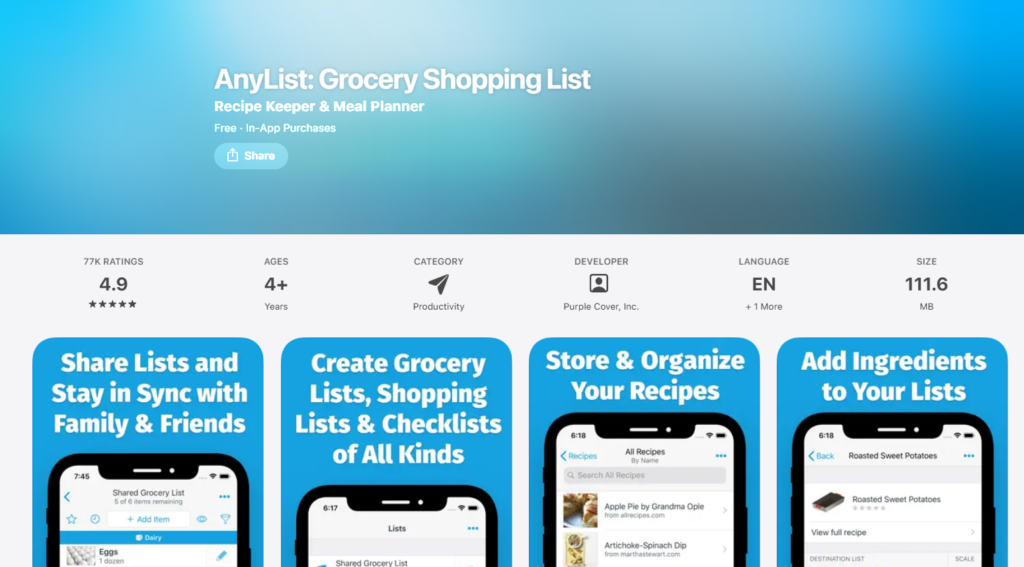
AnyList has earned its 4.9-star rating by solving the coordination headaches that cost families real money. When you share a list with your household, everyone sees updates instantly.
No more coming home with two gallons of milk because your partner didn’t see your purchase.
The app sorts items into categories as you type. You can rearrange those categories to match your store’s layout, which saves time, especially if you’re paying for childcare or just want to avoid impulse buys.
AnyList connects directly to Instacart, Walmart, and Kroger for online orders. The free version covers basic list sharing and organization.
The premium version is $9.99 per year for individuals or $14.99 for households, and it adds recipe importing from websites—so you don’t have to retype ingredients.
AnyList doesn’t include built-in recipes or meal plans in the free version. You’ll have to bring your own or pay for the upgrade.
Meal Planning to Reduce Food Waste

Meal planning apps save money by helping you avoid tossing $1,500 worth of food every year—the average for American households. Apps like Mealime build your grocery list automatically based on the meals you pick for the week, so you only buy what you’ll use.
You choose recipes that fit your dietary needs and household size. The app spits out a full ingredient list in seconds.
This method takes away the “what do I do with this chicken?” guessing game that ends with takeout and spoiled groceries.
BigOven’s “Use Up Leftovers” tool lets you enter ingredients you already have, then suggests meals you can make without buying more. If you usually let produce rot, this feature alone can save you $20 to $40 a week.
Meal planning apps do take commitment. You have to actually cook what you planned, or you just end up wasting food in a different way.
Advanced Tips for Saving Money on Groceries

Smart grocery shopping isn’t just about comparing weekly ads. Buying in bulk at the right time, stacking loyalty rewards, and checking product quality before you buy can save you $50 to $150 every month—without eating up your whole weekend.
Buying in Bulk Versus Single Purchases

Bulk buying only works if you’ll actually use what you get before it goes bad. A 5-pound bag of rice at $0.60 per pound beats smaller packages at $1.29, but a massive jar of mayo that spoils? That’s money down the drain.
Check the unit price on shelf tags to compare bulk and regular sizes. Warehouse stores like Costco charge $60 to $120 for a yearly membership, so you need to save at least $5 to $10 a month to make it worth it.
Buy in bulk: dried goods (pasta, rice, beans), frozen proteins, shelf-stable items (canned tomatoes, broth), paper products, and cleaning supplies. If you’re short on space, split bulk buys with friends or family.
Skip bulk for: fresh produce you won’t eat in a few days, spices you rarely use, condiments that expire quickly after opening, and trendy stuff you’re just trying out. Track your real usage for a month before going big on anything new.
Using Store Apps and Loyalty Programs
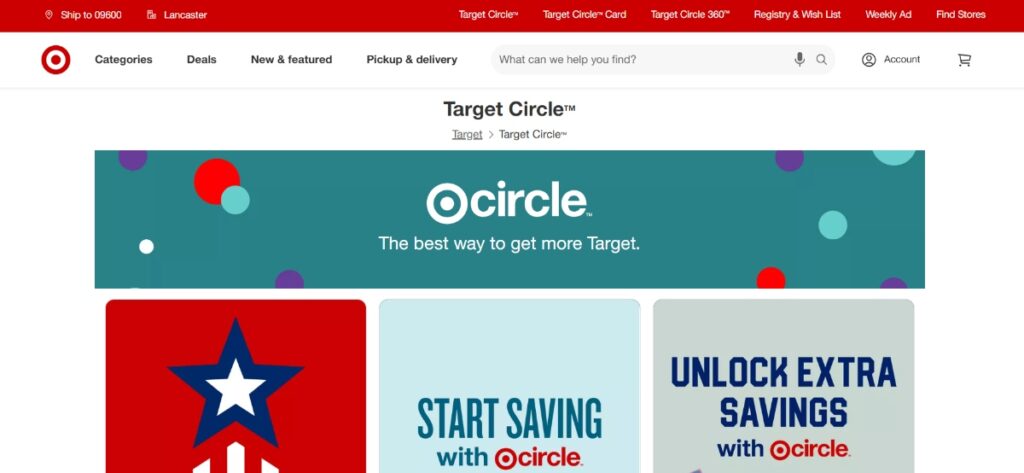
Store apps and loyalty programs can score you $10 to $30 in digital coupons per trip, but only if you activate them before checkout. Target Circle, Kroger Plus, and Safeway Just for U load discounts right to your account.
Download the app for every store you visit often. Check each one before shopping and clip any relevant offers.
Most programs track your purchases and suggest deals that make sense for you. Link your loyalty cards to apps like Flipp to keep everything in one spot.
Some stores toss in fuel points (Kroger gives $0.10 off per gallon after $100 spent) or special member pricing.
Watch out for: minimum purchase requirements, expiration dates on loaded offers, and “deals” that nudge you toward stuff you don’t need. Always compare the sale price with other stores before you assume it’s the best deal.
Set up notifications for your go-to items. Many apps will ping you when your staples go on sale or you’ve earned a reward.
Combining Product Reviews with Price Checks

Reading reviews before you buy helps you avoid wasting money on disappointing products. A $4 jar of store-brand pasta sauce is a win if it’s good, but not if you toss it after one bite.
Check star ratings and recent feedback on store apps while you shop. Look for comments about taste, texture, and whether the product matches expectations.
Focus on verified purchase reviews, especially ones with photos. Compare prices across stores using price-tracking features in apps like Flipp or Basket while you check reviews.
Try store brands on non-essential items first. If the $2.50 store-brand cereal gets 4.5 stars and tastes like the $5 name brand, you’ve just found a swap that can save you $130 a year.
Keep a personal list of substitutions that work. Note which store brands match or beat name brands for your family, and always grab those.
Review apps also flag issues like damaged packaging or mislabeled products, so you can skip a headache before you even leave the store.
See Related: Frugal Living Tips for Beginners That Will Transform Your Budget and Save You $500 This Month
Frequently Asked Questions

A lot of shoppers have questions about features, compatibility, and alternatives when hunting for the right grocery deal app. Knowing which apps work on your device, help manage lists, or offer flexible payment options can make a big difference.
What are some alternative apps to Flipp that help users save on groceries?
Ibotta is great for cash-back offers on items you already buy. Scan your receipt after shopping and the app credits your account—anywhere from $0.25 to $5 per product.
You’ll need to reach a $20 minimum before cashing out, though.
Checkout 51 works much the same way, but refreshes its offers every Thursday. You’ll see 10-20 new deals each week, and you can stack them with manufacturer coupons at most stores.
Shopkick gives you points (called “kicks”) just for walking into partner stores like Walmart and Target. Scan barcodes or make purchases to rack up more points, then cash them out for gift cards.
It’s a nice bonus if you’re already shopping at those stores.
Basket compares prices across local stores in real time. Type in your shopping list, and it shows you where each item is cheapest. This works best if you have several grocery stores nearby.
Which free apps can assist in finding the best grocery deals?
Fetch Rewards is about as easy as it gets—just scan your grocery receipts, no matter where you shopped, and earn points toward gift cards. No need to activate weekly offers or match products.
Instacart shows in-app promotions and digital coupons even if you’re not ordering delivery. Browse the deals section before heading to stores like Costco, Kroger, or Aldi.
Store-specific apps from Kroger, Safeway, and Walmart let you clip digital coupons that come off automatically at checkout when you use your loyalty card or phone number. These apps also flag weekly ad items and personalized deals based on your shopping history.
AnyList combines list-making with price tracking. Enter items once, and the app remembers where you found the best price last time. It’s especially helpful for pantry staples you buy over and over.
Are there any apps available that offer grocery deals and also allow for payment deferral?
Klarna partners with some grocery delivery services like Instacart, letting you split payments into four installments. You pay 25% at checkout, then three more payments every two weeks—no interest if you pay on time.
Affirm works in a similar way for bigger grocery orders at certain retailers. Approval is quick, but interest rates can range from 0% to 30% depending on your credit and the store.
These buy-now-pay-later options might help if you’re in a pinch and know exactly when you’ll have cash coming in. But using them for routine groceries can create a cycle where you’re always paying for last month’s food while buying this month’s.
Your regular credit card gives you a 21-30 day grace period if you pay the full balance. For most people, that’s a safer bet than payment plans.
Could you suggest the best app for creating and managing grocery shopping lists?
OurGroceries syncs across multiple phones instantly. If your partner adds milk from work, it pops up on your phone right away.
The free version lets you make unlimited lists and add unlimited users.
Mealime plans out your week’s meals and then creates a sorted shopping list by aisle. You pick recipes based on your diet, and it calculates exactly what you’ll need.
The $6/month premium version removes ads and unlocks extra recipes.
Listonic organizes items by store layout after you shop there a few times. It learns, for example, that your Kroger keeps pasta in aisle 7 and sorts your list to match.
The Notes app on your phone is free and works offline. If you just want a simple list without meal planning or price tracking, it’s enough and doesn’t need another account.
How do I choose a grocery deal app that’s compatible with Android devices?
Start by checking the Google Play Store for the app’s minimum Android version. Most apps want Android 8.0 or newer, so if your phone’s from 2017 or later, you’re probably good.
Take a look at the latest Android user reviews. Some deal apps just seem to favor iOS, and their Android versions can be buggy—think slow load times or crashes when you try to scan a receipt.
Before you trust any barcode scanner, test it right there in the store. Try scanning a few products under those weird grocery store lights. If it needs perfect alignment or takes longer than two seconds to scan, honestly, it’ll just make shopping more annoying.
Watch out for storage hogs, especially with receipt-scanning apps like Ibotta and Fetch. After a few months, they can eat up 200-300 MB with cached data. Clear the cache every month, or if your phone’s short on space, maybe try a lighter app.
Can you recommend any frugal shopping list apps that are user-friendly and effective?
Out of Milk lets you track pantry inventory right alongside your shopping list. Just scan barcodes as you use up items, and the app moves them straight to your list. You won’t end up buying another can of beans you forgot you already had.
Bring! swaps out boring text for colorful icons, so adding stuff is quick. Just tap the milk icon—it’s way faster than typing it out. The design really makes sense if you’ve got kids who want to help with shopping.
Grocery Pal helps you hunt for deals by searching weekly ads at stores near you. Type in your zip code and it’ll show you where to get the lowest prices on what you need. You can also make a list and see an estimated total before you even leave the house.
Flipp is still a great way to scroll through digital flyers all in one place. You can clip coupons, make lists, and check sales across different stores. Plus, it’s free and works at over 2,000 retailers in the US and Canada.
Leave a Reply