
Managing money can be tough, especially when bills pile up faster than your savings. I used to dread checking my bank account until I discovered budgeting apps that transformed my financial life. These digital tools helped me track spending, build savings, and finally feel in control of my money without the stress of spreadsheets or paper records.

The best budgeting apps for 2025 include YNAB for zero-based budgeting, Goodbudget for envelope budgeting, and Quicken Simplifi, which earned 4.8 stars from Forbes. Each app offers unique features to help you save money and reach your financial goals. Some are free while others charge monthly or yearly fees ranging from $12.99 per month to $109 per year.
Finding the right budgeting app can make all the difference in your savings journey. Whether you’re a first-time budgeter or looking to upgrade your money management system, these apps simplify the process of tracking expenses, planning for bills, and building your savings. The right app feels less like a chore and more like having a personal finance coach in your pocket.
Getting Started with Budgeting

Starting a budget is the foundation for gaining control of your money and achieving financial freedom. Good budgeting helps you understand where your money goes and creates a plan for where you want it to go instead.
Understanding Your Financial Position

The first step in budgeting is determining your current financial situation. This means honestly examining your income and expenses.
Start by listing all sources of income—your paycheck, side hustles, and any other money coming in each month. Be specific about the actual amount that hits your bank account after taxes.
Next, track your spending for at least one month. You can review bank statements or use one of the budget apps mentioned earlier, like Simplifi by Quicken, which can automatically categorize your expenses.
Group your expenses into housing, food, transportation, and entertainment categories. This step often reveals surprising spending patterns! I once discovered I was spending $200 monthly on coffee shops—money I could have saved instead.
Don’t forget about irregular expenses like annual subscriptions or seasonal bills. Divide these by 12 to include a monthly portion in your budget.
Setting Clear Financial Goals

Budgeting works best when you have something to work toward. Your financial goals give your budget purpose and help you stay motivated.
Think about what you want to achieve with your money. Do you want to:
- Pay off credit card debt
- Save for a vacation
- Build an emergency fund (aim for 3-6 months of expenses)
- Save for retirement
- Buy a home
Make your goals SMART: Specific, Measurable, Achievable, Relevant, and Time-bound. Instead of “save more money,” try “save $2,000 for a vacation by December 2025.”
Please write down your goals and keep them visible. This simple trick helps maintain your focus when spending temptations arise.
Prioritize your goals based on urgency and importance. Short-term goals might include building an emergency fund, while long-term goals could focus on retirement savings.
Choosing the Right Budgeting Method

There’s no one-size-fits-all approach to budgeting. The best method is the one you’ll stick with!
The 50/30/20 Rule is perfect for beginners. Allocate 50% of your income to needs, 30% to wants, and 20% to savings and debt repayment. This simple framework provides flexibility while ensuring you save.
Zero-based budgeting means giving every dollar a job until your income minus expenses equals zero. This method works well if you need tight control over your spending and want to maximize savings.
Envelope budgeting involves placing cash for different spending categories in actual envelopes (or virtual ones in apps). When an envelope is empty, you stop spending in that category until next month.
Many budget apps support these methods. Try different approaches until you find one that feels natural and sustainable for your lifestyle.
Essential Features of Budgeting Apps

Certain features are must-haves when choosing a budgeting app to help boost your savings. The right app should simplify money management while providing the tools to track spending, set goals, and improve your financial health.
Ease of Use and Accessibility

A good budgeting app should be easy to navigate from day one. Look for apps with clean, intuitive interfaces that don’t require a finance degree to understand. Many top apps offer customizable dashboards where you can see your financial picture at a glance.
The best apps work across multiple devices. You should be able to check your budget on your phone while waiting in line, then review detailed reports later on your computer. Apps like YNAB and PocketGuard offer this flexibility.
Consider how the app presents information. Do you prefer visual charts or detailed spreadsheets? Many apps now use color-coding and graphs to help you quickly understand where your money goes each month.
Remember about offline access. You might not always have an internet connection, so the ability to record expenses offline is valuable.
Integration With Financial Accounts

The power of modern budgeting apps comes from their ability to connect with your bank accounts, credit cards, and investment platforms. This automatic syncing saves you time and reduces the chance of missing transactions.
Look for apps that connect to a wide range of financial institutions. The best ones can pull data from traditional banks, online banks, investment accounts, and cryptocurrency wallets.
Transaction categorization is another essential feature. Good apps automatically sort your spending into categories like groceries, utilities, or entertainment. Even better, they let you create custom categories that match your spending habits.
Many apps now offer real-time alerts when bills are due or you’re approaching budget limits. This helps you avoid late fees and overspending before they happen. Some advanced apps connect with savings accounts to automatically move money based on your plan and financial goals.
Safety and Security Considerations

When an app connects to your financial accounts, security becomes paramount. Look for apps that use bank-level encryption (256-bit SSL) to protect your data during transmission.
Two-factor authentication adds an extra layer of protection. This feature requires both your password and a second verification method, like a text message code, before granting access to your account.
Data privacy policies matter too. Before downloading, check how the app uses your financial information. Does it sell your data to third parties or can you delete your information if you stop using the service?
Many reputable budgeting apps use “read-only” access to your accounts. This means they can see your transactions but can’t move money or change your accounts.
If you’re concerned about security, consider apps that allow manual transaction entry instead of automatic syncing. This approach requires more work but keeps your banking details separate from the app.
See Related: Can You Be Frugal and Rich: Wealth-Building Habits That Save Thousands
Top Budgeting Apps for Effective Savings

Managing your money gets easier with the right tools in your pocket. These top budgeting apps offer unique approaches to help you track spending, build savings, and reach your financial goals.
Rocket Money: Harnessing Automation

Rocket Money (formerly Truebill) automatically finds and cancels unwanted subscriptions. You’d be surprised how many forgotten $9.99 charges might be draining your account each month!
The app scans your accounts to identify recurring charges and helps you decide what to keep. I saved $43 monthly just by canceling services I rarely used.
The subscription monitoring feature is just the beginning. Rocket Money also:
- Tracks spending across all linked accounts
- Negotiates bills on your behalf (they take a percentage of savings)
- Sets savings goals with automated transfers
The free version offers basic features. The premium version ($3-12/month, you choose what to pay) unlocks advanced tools like automated savings and premium chat support.
YNAB (You Need A Budget): Emphasizing Accountability

YNAB follows a zero-based budgeting philosophy, where every dollar gets a job. This approach completely changed how I view money!
The app works by having you allocate money to different categories before you spend it. This proactive approach helps prevent overspending and builds awareness of where your money goes.
YNAB’s four rules make it unique:
- Give every dollar a job
- Embrace your actual expenses by planning for irregular bills
- Roll with the punches by adjusting categories as needed
- Age your money by working toward spending last month’s income
While the $14.99 monthly fee (or $99 annually) might seem steep, YNAB users report saving an average of $600 in their first two months. The 34-day free trial gives you time to see if it’s worth the investment.
GoodBudget: Simple Envelope Budgeting

GoodBudget modernizes the traditional envelope system, separating cash into different envelopes for various expenses. Instead of physical envelopes, the app creates digital ones.
The interface is straightforward and perfect if you’re new to budgeting. You create envelopes for categories like “Groceries,” “Entertainment,” and “Gas,” then assign money to each.
What makes GoodBudget special is the shared budgeting feature. My partner and I use it to manage our household expenses together, and we can both see and update spending in real time.
The free plan offers 10 regular and 10 annual envelopes. The Plus version ($8 monthly or $70 annually) provides unlimited envelopes and account syncing across more devices.
PocketGuard: Simplifying Spending

PocketGuard focuses on one crucial question: “How much can I spend today?” The app analyzes your income, bills, goals, and current spending to calculate your “In My Pocket” amount.
This simple approach works well if you find detailed budgeting overwhelming. The clean interface shows precisely what you can safely spend right now.
The app automatically categorizes transactions and identifies patterns in your spending. I particularly like the bill negotiation feature, which found me a cheaper phone plan.
Some useful PocketGuard features include:
- Spending limits for different categories
- Bill tracking with payment reminders
- Debt payoff planning tools
The free version covers basic needs. The PocketGuard Plus ($4.99 monthly or $34.99 annually) adds customizable categories, unlimited budgets, and exportable transaction history.
Budgeting for Couples and Families

Managing finances as a team requires special tools that facilitate transparency and teamwork. The right budgeting app can transform financial management from a source of conflict into an opportunity for collaboration.
Shared Budgeting with Honeydue

Honeydue is the best free app for couples looking to manage money together. This app lets you link accounts, track spending, and set bill reminders that both partners can see.
What makes Honeydue special is its built-in communication features. You can comment on transactions directly in the app, eliminating those awkward “What was this purchase for?” conversations.
The app also gives you control over privacy—you decide which accounts to share and which to keep private. This balance of transparency and independence helps couples build trust while respecting boundaries.
Setting up joint budget categories in Honeydue is straightforward. You can create custom categories that reflect your unique spending habits and financial goals. This personalization helps both partners stay engaged with the budgeting process.
Collaborative Financial Goals

Setting and tracking goals together strengthens your financial partnership. Modern budgeting apps make this process visual and rewarding.
Creating shared savings targets is easy with apps like YNAB (You Need A Budget), which uses a zero-based budgeting system. This approach helps you allocate every dollar toward specific goals, from vacation funds to down payments.
YNAB costs $14.99 monthly or $99 annually, but many couples find the investment worthwhile. The app’s planning features help you look beyond monthly expenses to build long-term wealth together.
For milestone planning, try setting up:
- Emergency fund targets
- Holiday and gift budgets
- Home renovation funds
- Retirement contribution goals
Visual progress trackers in these apps provide satisfaction when you hit milestones together. This shared achievement strengthens your relationship while improving your financial position.
Managing Expenses Together

With the right system, daily expense management becomes smoother. Goodbudget offers an envelope budgeting approach that works well for couples who want hands-on control.
With Goodbudget, you allocate specific amounts to virtual “envelopes” for different spending categories. When the envelope is empty, you’ve reached your limit. This visual method helps prevent overspending and encourages communication before making large purchases.
Splitting bills and shared expenses becomes less contentious with clear systems. Some couples prefer the 50/50 approach, while others use proportional contributions based on income. Whatever you choose, apps like Honeydue make tracking contributions transparent.
For families with children, apps like YNAB allow you to create specific categories for child-related expenses. This visibility helps parents understand where money goes and identify potential savings in activities or clothing.
Creating a Custom Budgeting Plan

Making a budget that works for you is easier with today’s apps. A personalized plan helps you track spending and reach savings goals without feeling restricted.
Identifying Your Spending Categories

Start by reviewing your recent expenses to spot patterns. Most budget apps automatically sort transactions into categories like food, housing, and entertainment.
Look at the last 2-3 months of spending to get an accurate picture. You might discover you’re spending $200 monthly on coffee shops or $150 on subscription services you rarely use!
Consider creating custom categories that match your lifestyle. If you own a pet, add a “Pet Care” category. Love hiking? Create an “Outdoor Activities” category.
Common spending categories to include:
- Housing (rent/mortgage, utilities)
- Transportation (gas, car payments, public transit)
- Food (groceries, dining out)
- Entertainment (streaming services, hobbies)
- Personal care (haircuts, gym membership)
- Savings goals (vacation fund, emergency savings)
Allocating Funds and Setting Limits

Now, decide how much to spend in each category. The 50/30/20 rule works well for many people: 50% for needs, 30% for wants, and 20% for savings.
Be realistic when setting limits. If your monthly grocery budget is too strict, you’ll likely get discouraged and abandon your plan.
Apps like Goodbudget use an envelope system that helps you divide money into different purposes. When a category runs low, you’ll know to slow down spending.
Try setting specific savings goals, like “$3,000 for a vacation” or “$500 for holiday gifts.” Having a clear target motivates saving more than “for the future.”
Adjusting Your Plan Based on Spending Habits

Your budget shouldn’t be set in stone. Review it monthly and make adjustments as needed.
Did you consistently overspend in certain areas? Maybe your grocery budget needs to increase from $400 to $450. Did you hardly touch your entertainment fund? Consider moving some of that money to savings.
Apps like Simplifi create personalized spending plans that adjust in real time. When you make a big purchase, the app automatically updates how much you have left to spend that month.
Life changes require budget changes, too. A new job, move, or relationship can dramatically shift your spending habits. Don’t be afraid to rebuild your budget completely when circumstances change.
See Related: Frugal Living Tips for Beginners That Will Transform Your Finances and Lifestyle
Monitoring and Adjusting Your Budget

Staying on top of your budget is just as important as creating one. Regular monitoring helps you catch issues early and make necessary adjustments to keep your financial goals on track.
Tracking Progress Towards Your Savings Goals

Setting clear savings targets gives you something concrete to work toward. Many of today’s top budgeting apps, like Simplifi and Copilot Money, include progress trackers that show how close you are to reaching your goals.
Use visual tools like progress bars or graphs to make your savings journey more tangible. Seeing the vacation fund grow from 10% to 75% complete can be incredibly motivating!
Try breaking larger goals into smaller milestones. Instead of “save $5,000 for a down payment,” celebrate when you hit each $1,000 mark.
Most apps also let you compare your current spending to previous months. This feature helps you spot trends and identify areas where you’re improving or need more work.
Utilizing Alerts and Reminders

Notifications are your budget’s best friend. Set up alerts in your budgeting app to warn you when you’re approaching spending limits in specific categories.
Types of helpful alerts include:
- Low balance warnings
- Bill payment reminders
- Unusual spending notifications
- Goal milestone celebrations
Many apps like NerdWallet’s budgeting tool let you create a watchlist for certain spending categories you want to monitor closely. This is especially helpful for areas where you tend to overspend.
Customizing alert thresholds is essential. Set them tight enough to be useful but not so strict that you get notification fatigue and ignore them.
When to Revise Your Budget
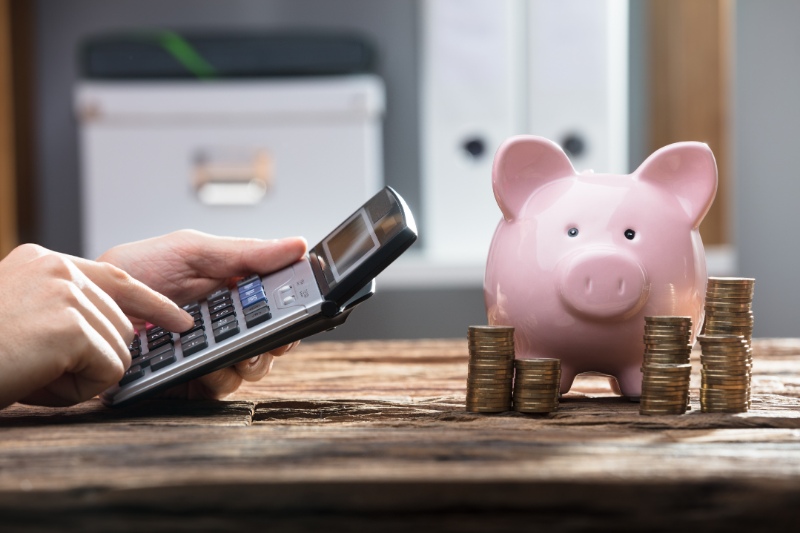
Your budget shouldn’t be set in stone. Life changes, and your financial plan needs to adapt accordingly.
Good times to revise your budget include:
- After receiving a raise or changing jobs
- When major expenses arise (car repairs, medical bills)
- During significant life changes (moving, marriage, new baby)
- At the start of each season (seasonal expenses vary)
Don’t wait for your budget to break before making adjustments. The best budgeting tools make it easy to tweak categories on the fly when you notice patterns changing.
If you consistently overspend in the same category, that’s a sign your budget needs adjustment! Either increase that category’s allocation or find specific ways to reduce those expenses.
Tips and Tricks for Maximizing Savings

Getting the most from your budgeting app means going beyond just tracking expenses. These practical strategies will help you consistently build savings, trim unnecessary costs from your budget, and develop lasting money habits.
Automating Savings Transfers

Set up automatic transfers to your savings account on payday. When money moves to savings before you can spend it, you’ll adapt to living on what remains. Most budgeting apps like Copilot and Simplifi let you schedule these transfers directly.
Try the “save your raises” approach. If you get a 3% raise, automatically direct that percentage to savings while maintaining your current lifestyle. You won’t miss what you never started spending!
Consider multiple savings accounts for different goals. Label them specifically—”Hawaii Trip 2026″ or “New Laptop Fund”—to resist the temptation to dip into them.
Apps like Monarch Money can round up purchases to the nearest dollar and deposit the difference into savings. I’ve saved $30-40 monthly without feeling the pinch.
Cutting Unnecessary Expenses

Review your subscription services quarterly. Be honest—are you using that streaming service or gym membership? Many budget apps automatically highlight recurring charges to help spot unused subscriptions.
Try the 24-hour rule for non-essential purchases over $50. Wait a day before buying, and you’ll often find the impulse passes.
Look for category spending patterns in your app. Maybe you’re spending $200 monthly on takeout when you thought it was just $50. These reality checks lead to better choices.
Use your app’s bill negotiation features. Services like Rocket Money can identify and help lower internet, phone, and insurance bills. I saved $35 monthly when they negotiated my internet bill.
Quick wins to try today:
- Cancel one unused subscription
- Pack lunch for 3 days next week
- Call one service provider to request a better rate
Improving Financial Habits Over Time

Start with weekly app check-ins. Sunday evenings work great for reviewing spending and planning for the upcoming week. This regular rhythm builds awareness that naturally improves decisions.
Set achievable challenges rather than drastic changes. To gradually reduce grocery bills, try a “no-spend weekend” or “meatless Monday.”
Use your app’s notification features strategically. Set alerts when you’re approaching category limits, not just after you’ve passed them.
Celebrate milestones! When you hit a savings goal, reward yourself with something small but meaningful. This positive reinforcement keeps you motivated for the long haul.
Share your journey with someone. According to financial experts, having an accountability partner makes you 65% more likely to reach financial goals. Some apps even have community features to connect with others on similar journeys.
Choosing a Mint Alternative
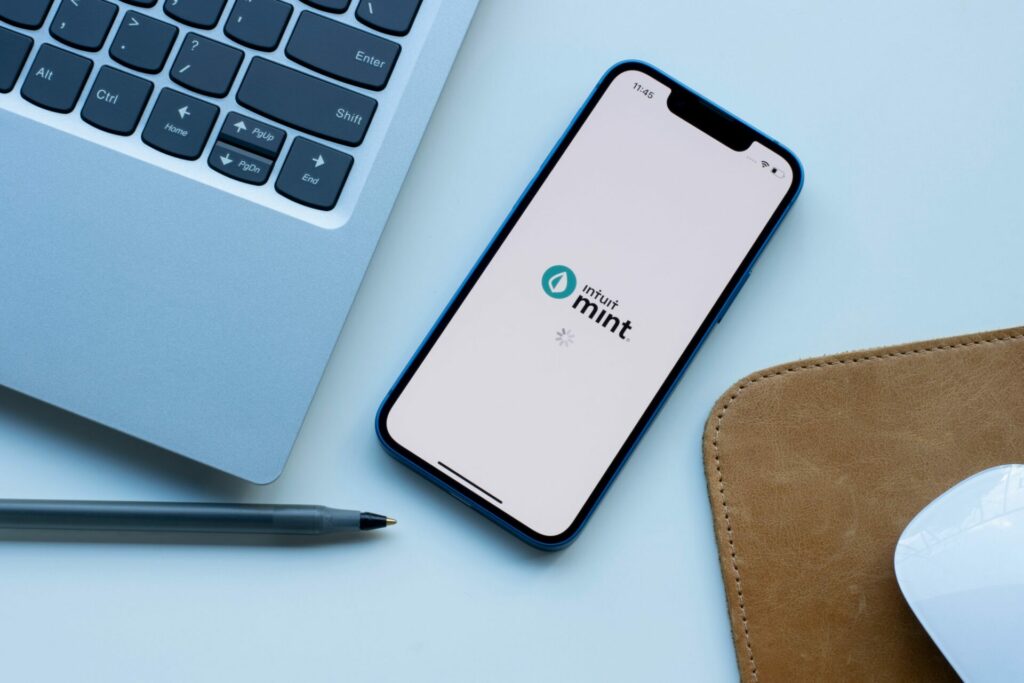
With Mint officially shutting down in March 2024, many users are searching for new ways to manage their money. Finding the right personal finance app depends on understanding available features and matching them to your financial habits and goals.
Comparing Features and User Experiences

YNAB (You Need A Budget) offers a hands-on zero-based budgeting approach many former Mint users love. It forces you to assign every dollar a purpose, which can be great for overspenders. Monarch provides robust tracking tools with a clean interface, making the transition easier for those who appreciated Mint’s visualization features.
Simplifi by Quicken focuses on mobile functionality while still offering comprehensive budget management. The app excels at spending tracking and goal setting.
Other popular options include:
- Goodbudget: Perfect if you prefer envelope-style budgeting
- EveryDollar: Offers simple zero-based budgeting similar to YNAB
- CountAbout: Provides straightforward expense tracking
- Tiller: Uses spreadsheet integration for those who want more data control
Most alternatives offer free trials, so test a few before committing to a paid subscription.
Deciding Based on Your Financial Needs

Your ideal Mint replacement should align with your specific money management style. Consider what features matter most to you.
Need debt payoff tools? YNAB and EveryDollar excel in this area, helping track progress toward becoming debt-free. For investment tracking, Monarch and Simplifi offer solid portfolio monitoring alongside budgeting tools.
Think about your budgeting personality, too:
- Hands-on managers will appreciate YNAB’s active approach
- Visual learners might prefer Monarch’s graphs and charts
- Casual trackers may find Simplifi’s automated systems sufficient
Price is also important. While Mint was free, most alternatives charge monthly subscription fees ranging from $5 to $15. Consider the value provided against your budget constraints.
Remember that learning a new personal finance app takes time. Be patient with yourself during the transition period as you rebuild your financial tracking system.
See Related: Proven Ways to Live a Simple and Frugal Life That Will Transform Your Finances and Happiness
Frequently Asked Questions

Budgeting apps have transformed how people manage their money and boost savings. Many offer unique features to track spending, set goals, and visualize financial progress in ways that match different lifestyles and needs.
What are some top user-recommended budgeting apps for managing finances and saving money?
According to recent rankings, Quicken Simplifi leads the pack with an impressive 4.8-star rating. Users love its customizable reports that show spending patterns, income tracking, and savings progress.
Monarch is another highly rated option with investment tracking and long-term planning features. You can even invite family members to join your budget, making it great for household management.
YNAB (You Need A Budget) continues to be a user favorite for its unique approach to budgeting. It teaches you to give every dollar a job and plan for expenses, which helps many users break the paycheck-to-paycheck cycle.
What are some top user-recommended budgeting apps for managing finances and saving money?
According to recent rankings, Quicken Simplifi leads the pack with an impressive 4.8-star rating. Users love its customizable reports that show spending patterns, income tracking, and savings progress.
Monarch is another highly rated option with investment tracking and long-term planning features. You can even invite family members to join your budget, making it great for household management.
YNAB (You Need A Budget) continues to be a user favorite for its unique approach to budgeting. It teaches you to give every dollar a job and plan for expenses, which helps many users break the paycheck-to-paycheck cycle.
Which free budgeting apps can help me effectively track my expenses without cost?
Several quality budgeting apps offer free versions with robust features. Mint remains one of the most popular free options, connecting to your accounts and automatically categorizing expenses.
Some banks now offer built-in budgeting tools in their mobile apps at no extra cost. These tools often include spending categorization, savings goals, and basic reports.
Personal Capital’s free version focuses on investment tracking and includes expense categorization and cash flow analysis, making it a good no-cost option for basic budgeting.
Are there any budgeting apps perfect for iPhone users looking to increase their savings?
Copilot Money receives high praise from iPhone users for its slick, intuitive design that works beautifully with iOS. It’s smart categorization helps identify areas where you can cut back and save more.
Apple Card users can take advantage of the built-in spending summaries in the Wallet app, which provide colorful breakdowns of where their money goes each month.
Goodbudget works well on iPhones and uses the envelope budgeting method, which many users find effective for controlling spending and increasing savings by allocating specific amounts to different expense categories.
Can you suggest budgeting tools that work great for couples striving to save together?
Honeydue is explicitly designed for couples, allowing both partners to see shared accounts, split bills, and set common savings goals. This transparency helps couples work as a team.
Monarch’s family sharing feature lets couples maintain both individual and joint budgets. You can decide what information to share and what to keep private.
Zeta caters to all types of relationships and financial arrangements. Whether you thoroughly combine finances or keep them partially separate, the app helps you track joint expenses and savings progress.
How can I keep track of my spending habits simply and efficiently to boost my savings?
The simplest method is to use an app that connects to your accounts and automatically categorizes transactions. Quicken Simplifi and Copilot Money both excel at this with minimal setup required.
Try apps with visual dashboards that show spending by category. For example, seeing that you’ve spent $200 on takeout this month might motivate you to cook at home and transfer the savings to your savings account.
Set up spending alerts in apps like YNAB or Monarch. Getting notified when you’re approaching your budget limit for a category helps prevent overspending and keeps more money for saving.
Aside from Mint, what other budgeting apps offer robust features for those looking to save money more effectively?
YNAB stands out with its proactive budgeting approach. It helps you plan future expenses and actively save for specific goals, rather than just tracking past spending.
Personal Capital combines budgeting with investment tracking. This comprehensive view helps you see how your saving habits affect your long-term financial growth.
EveryDollar, created by Dave Ramsey’s team, focuses on zero-based budgeting, where every dollar has a purpose. This intentional approach helps many users find extra money to put toward savings goals or debt reduction.
Leave a Reply