
Small changes can lead to significant savings. When I discovered cashback apps three years ago, I was skeptical about how much I could save.
By using my phone before shopping, I’ve earned over $1,200. With apps like Ibotta alone, you could earn up to $260 a year by redeeming offers on everyday purchases.

Shopping doesn’t have to drain your wallet when you’ve got the right tools. Apps like Fetch Rewards, RetailMeNot, and Upside have transformed how I approach buying groceries and retail items.
I load these apps before heading to the store or shopping online, taking a few seconds to scan receipts or activate offers. This tiny habit has funded several weekend getaways without requiring me to cut my spending.
The best part? Most cashback apps work silently in the background, tracking your purchases and accumulating rewards while you shop normally. Beyond the popular Ibotta and Fetch, options like Shopkick, ReceiptPal, and Checkout 51 offer different ways to earn cash back on everything from gas to groceries to online shopping.
What Are Cashback Apps?

Cashback apps are mobile applications that reward users with money back on their purchases. They’ve become a popular way to save a few dollars without changing one’s shopping habits.
The Basics of Cashback

Cashback apps give you a percentage of your purchase amount back as a reward for shopping. Think of it as getting paid to buy things you’d purchase anyway. Most apps work with everyday shopping categories like groceries, gas, dining out, and online purchases.
Popular options include Ibotta, Fetch Rewards, RetailMeNot, and Upside. Each has its special focus. For example, Ibotta specializes in grocery rebates, while Upside offers up to 25¢ per gallon on gas purchases.
The money you earn is real! Users report saving hundreds of dollars annually. According to some estimates, you could earn up to $260 a year just using Ibotta. Your earnings typically add up as points or cash that you can redeem for gift cards, PayPal transfers, or direct deposits.
How Cashback Apps Work

Most cashback apps follow a simple process. First, you download the app and create an account. Then you browse available offers before shopping. Some apps require you to “clip” digital coupons, while others automatically track eligible purchases.
After shopping, you’ll either:
- Scan your receipt into the app
- Link your store loyalty cards or credit cards
- Shop through the app’s portal for online purchases
The app verifies your purchase and credits your account, usually within 24-48 hours. You can cash out once you reach the minimum payout threshold (typically $5-$20).
Different apps use different reward structures. Some give actual cash back, while others use a points system. For instance, Fetch Rewards turns everyday purchases into points you can redeem for gift cards. The more you shop, the more free cash you earn!
Types of Cashback Apps

Cashback apps come in several forms, offering unique ways to earn money while shopping. These apps differ in how they track purchases, when they reward you, and how much effort you need to put in to earn rewards.
Receipt Scanning Apps

Receipt scanning apps are super easy to use. After shopping, you take a photo of your receipt, and the app gives you cashback for specific items or stores. Ibotta is one of the most popular options, offering cash rewards for purchasing specific products at grocery stores and retailers.
With Ibotta, you can browse offers before shopping, then upload your receipt to claim your rewards. Many users report earning $5-20 per month with regular use.
Receipt Hog takes a more fun approach by turning receipt scanning into a game. You earn “coins” for uploading receipts from any store, which you can later exchange for cash or gift cards.
Fetch Rewards is another great option that rewards receipts from any store. You get extra points for buying specific brands they partner with. The best part? You don’t need to select offers before shopping!
Browser Extension Apps

Browser extensions make online shopping more rewarding with little extra effort. You install them in your web browser, and they work automatically when you shop.
Honey is a standout extension that automatically finds and applies coupon codes at checkout. It also has a “Honey Gold” feature that gives you cashback at thousands of stores. I’ve saved over $100 in a year just by having it installed!
Rakuten (formerly Ebates) offers substantial cashback percentages at over 3,500 online stores. When you visit a participating retailer, Rakuten alerts you about available cashback. Just click their button before shopping, and your rewards are tracked automatically.
These extensions also compare prices across websites, helping you find the best deals without visiting multiple stores. Many browser extensions pay quarterly, with some users earning $50-100 per payment period with regular shopping.
Automatic Cashback Apps

Automatic cashback apps require the least effort. Just link your credit or debit card once, and you’ll earn rewards automatically when you shop at participating stores.
Dosh stands out in this category. After linking your card, you’ll earn up to 10% cashback at restaurants, hotels, and stores without scanning receipts or activating offers. The money appears in your Dosh wallet automatically.
Upside (formerly GetUpside) focuses on gas stations, restaurants, and grocery stores. Users can earn up to 25¢ per gallon on gas purchases and up to 45% back at restaurants. These savings add up quickly for regular drivers!
Payce works similarly but focuses on everyday purchases. Cash rewards are deposited directly into your linked account when you shop at partner stores. No receipt scanning or coupon clipping is needed!
See Related: Tips for Frugal Living at 60 Years Old: Thrive on Less and Enjoy More in Retirement
Maximizing Your Cashback

Getting the most from cashback apps takes some thoughtful planning. These strategies will help you turn small savings into significant amounts over time.
Strategic Shopping

Plan your shopping trips around cashback offers. Many apps like Ibotta and Rakuten update their offers weekly. Check these deals before making your shopping list to maximize your returns.
Watch for special promotions during holidays or shopping events. Some apps offer double or triple cashback during Black Friday, Cyber Monday, or back-to-school seasons.
Create a rotation system for your favorite stores. If Target offers 2% this week but Walmart will offer 5% next week, adjust your shopping schedule accordingly.
Be strategic about big purchases. If you’re buying a new laptop or appliance, wait for higher cashback rates. Even a 1% difference can save you significant money on expensive items.
Try “stacking” store loyalty programs with cashback apps. Use your Target RedCard for its 5% discount, then add Ibotta’s cashback on specific products for extra savings.
Combining Cashback with Coupons

Layer your savings by using multiple discount methods. Start with a store coupon, add a manufacturer coupon, and then get cashback through your app of choice.
Look for special in-app coupon codes exclusive to cashback platforms. Rakuten often offers promo codes that work alongside their cashback rates.
Connect your PayPal account to cashback apps for faster payments and sometimes bonus offers. Many apps give extra cashback when you choose PayPal as your payment method.
Don’t forget about browser extensions. Tools like Honey automatically apply the best coupon codes at checkout while allowing your cashback app to track purchases.
Learn each store’s coupon policy. Some allow “stacking” digital and paper coupons, letting you maximize savings before the cashback even kicks in.
Leveraging Referral Bonuses

Invite friends to join your favorite cashback apps. Most apps offer generous referral bonuses – sometimes $5-$30 per friend who signs up and makes a qualifying purchase.
Create a referral strategy during peak shopping seasons. Friends who are planning major purchases are more likely to try cashback apps.
Share your real results with friends. Instead of just sending a referral link, tell them how much you’ve earned or show them a gift card you purchased with your cashback.
Consider pooling cashback with family members. Some apps allow household accounts, letting you reach payout thresholds faster by combining earnings.
Track your referral bonuses carefully. Some expire after a certain period, so ensure your friends complete qualifying activities before the deadline.
Don’t underestimate the power of referrals. I’ve earned over $300 a year just from friends signing up through my links – that’s on top of my regular cashback earnings!
Top Cashback Apps for Groceries

Saving money on groceries has never been easier with specialized cashback apps. These apps let you earn real money back on items you buy, making your grocery budget stretch further each month.
Ibotta and Grocery Shopping

Ibotta is one of the most popular grocery cashback apps. The app offers cash rewards on specific products purchased at participating stores.
To use Ibotta, simply browse through available offers before shopping. After your trip, snap a picture of your receipt, and the app matches your purchases with active offers. Money appears in your account within 24-48 hours.
Ibotta’s wide range of partner stores, including Walmart, Target, and most major grocery chains, makes it special. Once you reach $20, you can cash out through PayPal, Venmo, or gift cards.
Many users report saving $20-$50 monthly with regular use. Ibotta also offers bonuses when you redeem multiple offers, boosting your savings even more.
Fetch Rewards Explained

Fetch Rewards takes a simpler approach to grocery savings by awarding points for virtually any receipt. Unlike other apps, you don’t need to select offers beforehand – just scan any grocery receipt.
Points accumulate based on what you buy, with special point promotions for specific brands and products. The app is incredibly user-friendly. Snap a picture of your receipt within 14 days of purchase to earn points.
Each receipt earns at least 25 points, with bonus points for purchasing partner brands. Once you collect 3,000 points (equivalent to $3), you can redeem them for gift cards from popular retailers like Amazon and Target.
Fetch particularly shines for shoppers who don’t want to plan purchases around specific offers. Many users love earning rewards from everyday shopping without extra effort.
CheckoutSmart and Shopmium

These two lesser-known apps offer unique advantages for savvy grocery shoppers. CheckoutSmart provides full or partial refunds on specific products, sometimes offering 100% cashback on select items.
With CheckoutSmart, browse offers before shopping, purchase qualifying items, and upload your receipt. Once approved, money gets credited to your account. You can withdraw funds via bank transfer once you reach the £3 minimum.
Shopmium takes a different approach, with a clean interface and exclusive offers. After creating an account, you can browse available products and purchase them at any participating store.
Upload your receipt through the app, and once verified, money gets deposited directly to your PayPal or bank account with no minimum threshold for cashing out. Shopmium frequently features free product trials, making it perfect for trying new items without risk. Both apps work well alongside cashback programs like Rakuten (formerly Ebates) for maximum savings.
Best Cashback Apps for Online Shopping

Online shopping cashback apps have revolutionized how we save money on digital purchases. These platforms offer anywhere from 1% to 15% cash back when you shop through their portals, with some even providing special bonuses during promotional periods.
The Rise of Rakuten (Formerly Ebates)

Rakuten has become a powerhouse in the online cashback world. The platform partners with over 3,500 retailers, making it easy to earn money back on purchases you’d make anyway. Simply click through Rakuten before shopping at stores like Macy’s, Walmart, or Sephora.
The app pays out quarterly via PayPal or check, with many users reporting earnings of $50 to $100 every three months. Their browser extension is convenient, automatically alerting you when cashback is available as you browse shopping sites.
Rakuten’s generous referral program and occasional double or triple cashback events make it stand out. After qualifying purchases, new users often receive a $10 to $30 welcome bonus.
TopCashback and Online Purchases

TopCashback offers some of the highest cashback rates in the industry. Unlike competitors, they don’t keep a portion of commissions, instead passing 100% back to you.
The platform features over 4,000 retailers and provides multiple payout options, including direct deposit, PayPal, and gift cards. Their “Tell-a-Friend” program rewards you $10 for each person you refer.
One unique feature is their “Highest Cashback Guarantee” – if you find a better rate elsewhere, they’ll match it. Their browser extension also compares prices across retailers while showing available cashback rates.
Many users appreciate their “Cashback Notifier,” which alerts them to savings opportunities without requiring them to visit the TopCashback site first.
Retailer-specific Cashback Apps
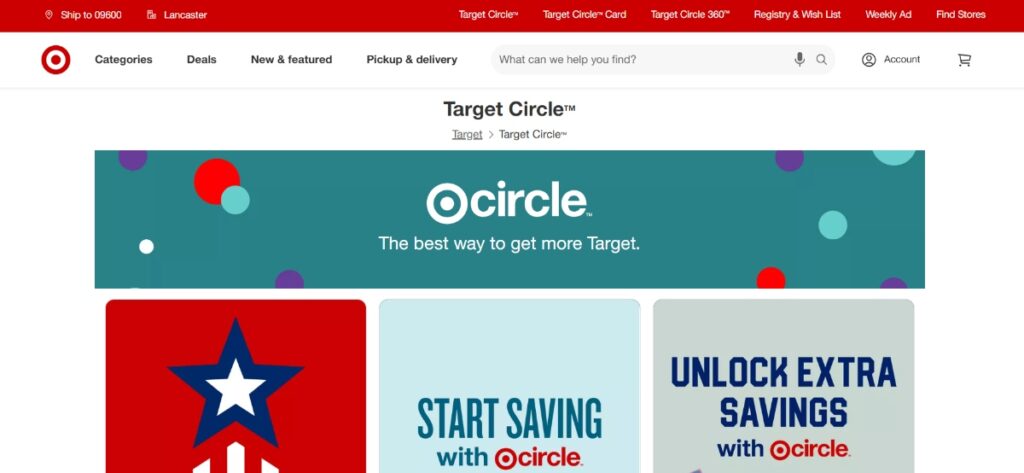
Many stores now offer cashback programs through dedicated apps. Target’s Circle program provides 1% back on purchases plus personalized deals based on shopping habits.
Amazon offers up to 10% back through their Amazon Prime Rewards Visa card on select categories. Walmart’s Savings Catcher automatically checks prices and refunds differences.
These retailer-specific programs often work alongside general cashback apps, allowing you to “stack” savings. For example, you could earn Rakuten cashback while getting Target Circle rewards on the same purchase.
The main advantage of these apps is their seamless integration with the shopping experience. You don’t need to remember to activate offers or click through special links—just shop normally through the app.
Rewards Beyond Shopping

Cashback rewards aren’t limited to your retail purchases. Many apps offer ways to earn money back on everyday expenses like eating out, traveling, and even paying utility bills. These expanded offerings make it easier to stack rewards across different spending categories.
Cashback on Dining and Restaurants

Restaurant meals can quickly drain your budget, but cashback apps are stepping in to help. Apps like Rakuten and Capital One Shopping have expanded their services to include dining rewards.
Many apps partner with popular restaurant chains to offer 2-10% cashback when you link your credit card and pay with it. Some standouts include:
- Dosh: Automatically gives 5-10% back at participating restaurants
- Swagbucks: Offers gift cards to popular restaurant chains
- Rakuten: Partners with food delivery services for additional savings
With some apps, you don’t even need to scan receipts. Link your credit card, pay as usual, and watch the rewards accumulate. This passive earning approach makes saving on dining nearly effortless.
Travel Rewards and Cashback

With the right cashback strategy, your vacation expenses can work harder for you. Travel is a major spending category where earning rewards can significantly offset costs.
Several apps specialize in travel-specific cashback:
- Rakuten: Offers up to 10% back on hotel bookings and rental cars
- Capital One Shopping: Finds better prices and applies coupons automatically
- Ibotta: Provides cashback on travel booking sites like Hotels.com and Expedia
Many travel rewards credit cards can be paired with these apps to double-dip on rewards. I’ve found that linking my rewards credit card to cashback apps can earn me back 5-15% on total travel costs.
For frequent travelers, these savings add up quickly. Remember to book through the app’s portal to ensure your purchases are tracked correctly.
Gas and Utility Cashbacks
Daily necessities like gas and utilities offer surprising cashback opportunities. These essential expenses happen regardless, so earning money back is practically free.
For gas savings, consider:
- GetUpside: Earn up to 25¢ per gallon at participating stations
- GasBuddy: Save up to 40¢ per gallon with their card
- Trunow: Get 1-2% back on gas purchases
Utility bills can also generate cashback through:
- Ibotta: Occasional rebates on utility payments
- Rakuten: Cashback when signing up for new services
- Fetch: Points for uploading utility bill receipts
Your regular expenses work harder when paired with the right cashback app. I recommend setting calendar reminders to upload utility receipts since these aren’t automatic like linked credit card purchases.
See Related: Can You Be Rich and Frugal? Millionaire Money Habits That Save Thousands
Finding the Best Deals

Getting the most value from cashback apps requires smart shopping strategies. The right approach can help you maximize your savings and find better deals than you might discover alone.
Navigating Cashback Websites

Cashback websites like Quidco offer an easy way to earn back money on purchases you plan to make. These sites partner with thousands of retailers, from small shops to major brands.
Simply create an account and search for your favorite stores to get started. Most cashback sites show the percentage or amount you’ll earn back on their homepage.
Pro tip: Install browser extensions from these websites to receive automatic alerts when you shop on a participating retailer’s site. This way, you’ll never miss a cashback opportunity.
Many cashback websites offer special promotions during holidays or shopping events. Look for doubled rates or limited-time offers that can dramatically increase your savings.
Seeking the Best Price

Finding the best price goes beyond comparing retailers. Many cashback apps, like Ibotta and Fetch, work with price comparison tools to maximize savings.
Before making a purchase:
- Check multiple retailers for the base price
- Factor in available cashback percentages
- Consider shipping costs and delivery times
- Look for stackable promotions
Some apps like Honey automatically apply coupons at checkout while giving you cashback. This “double-dipping” approach can lead to significant savings on big purchases.
I’ve found that patience pays off when seeking deals. Prices often fluctuate, and cashback rates change regularly. Creating a wishlist and monitoring it for a few weeks can help you spot the perfect moment to buy.
Cashback as a Bargaining Tool

Many shoppers don’t realize that cashback offers can be used as negotiation leverage, especially with major retailers. If you’re making a large purchase, mention competing cashback offers to sales associates.
Some stores have price-matching policies that include cashback promotions from competitors. This works particularly well for electronics, furniture, and appliances.
Example approach: “I see you’re offering this laptop for $800, but another store offers 5% cashback, making their effective price $760. Can you match that?”
Online chat support can be surprisingly helpful for this strategy. Representatives often have discount codes they can apply to match or beat competitor pricing when you mention cashback offers elsewhere.
Remember that being polite but persistent is key when using cashback as a negotiation tool. Most retailers want to keep your business and may be willing to work with you.
Tips for Responsible Cashback App Use

Cashback apps can help you save money on everyday purchases, but it’s important to use them wisely. Smart practices will protect your wallet and personal information while maximizing your rewards.
Avoiding Overspending

Don’t fall into the trap of buying things just to earn cash back. Only purchase items you actually need or were already planning to buy. Create a shopping list before browsing any app offers.
“I found myself buying unnecessary snacks just because Ibotta offered $1 back,” a friend told me. “Now I check cashback options only after deciding what to buy.”
Set a monthly budget for essential purchases and stick to it, regardless of tempting offers. Remember that 10% cash back on a $20 unneeded item isn’t saving money—it’s spending $18 you didn’t need to spend.
Consider using the “24-hour rule” before making impulse purchases. Wait a day before buying something that wasn’t on your list, even if it has an attractive cashback offer.
Track your savings in a separate account or spreadsheet. This helps you see the value you get from these apps over time.
Security and Privacy Considerations

Protect your personal information by only using reputable cashback apps like Rakuten, Ibotta, or others reviewed by trusted sources like NerdWallet. Check app ratings and reviews before downloading.
Use strong, unique passwords for each cashback app. Consider a password manager to keep track of different passwords securely.
Be cautious about linking your bank accounts directly to cashback apps. Choose options that let you cash out through PayPal or gift cards instead when possible.
Read privacy policies to understand what data apps collect. Some apps track your location, browsing habits, and purchase history to target offers. You can often adjust permissions in your phone settings.
Review connected accounts regularly and remove unused apps. Each connection increases your potential exposure in case of data breaches.
Check app permissions before downloading. Does a simple cashback app need access to your contacts or camera all the time? Be selective about what you allow.
Getting Started with Cashback Apps

Cashback apps are a simple way to earn money on purchases you already make. By spending a few minutes setting up your account, you can start saving on groceries, online shopping, and more without changing your spending habits.
Choosing the Right App for You

When selecting a cashback app, consider what you buy most often. Apps like Ibotta are excellent for grocery shopping, offering cash back on specific items and at certain stores. If you shop online frequently, browser extensions might work better for you.
Look at payout methods too. Some apps transfer money to PayPal, while others offer gift cards. Microsoft Rewards, available in 36 countries, pays via PayPal for grocery and retail purchases.
The minimum payout threshold matters as well. Some apps let you cash out with as little as $5, while others require $20 or more.
Popular cashback app options:
- Ibotta: Great for groceries and in-store shopping
- Fetch: Simple receipt scanning for points
- Microsoft Rewards: Works for both online and in-store purchases
Setting Up Your Account

Getting started with cashback apps is straightforward. First, download your chosen app from your phone’s app store. Most cashback apps are free to use.
Next, create an account using your email address or connecting to social media. Many apps will ask for your location to show relevant offers in your area.
Take time to set up your profile completely. Add your favorite stores and shopping preferences to get personalized offers. Some apps might ask for your payment information if they offer direct deposits.
Finally, link your loyalty cards from grocery stores and retailers. This step lets some apps automatically track your purchases without scanning receipts.
Don’t forget to enable notifications! You’ll want to know when new offers appear for frequently buying products.
Understanding Welcome Bonuses
Most cashback apps offer welcome bonuses to new users. These bonuses give you extra cash or points just for signing up and completing your first actions.
Typical welcome offers include:
- $5-$10 for your first receipt upload
- Bonus points for linking a loyalty card
- Higher cashback percentages during your first month
To qualify for welcome bonuses, you must usually complete specific tasks within a time limit. This might mean purchasing above a certain amount or submitting a receipt within 7 days of signing up.
Welcome bonuses can significantly boost your initial earnings. I earned $20 in my first week using a combination of sign-up bonuses from two different apps.
Don’t create multiple accounts to repeatedly receive welcome bonuses. Apps track your device and payment information, and breaking their terms can result in a ban.
See Related: Proven Ways to Live a Simple and Frugal Life That Will Transform Your Finances and Happiness
Frequently Asked Questions

Navigating the world of cashback apps can be confusing with so many options available. These questions cover everything from the best apps for different shopping needs to strategies for maximizing your savings without extra hassle.
What are the top apps for earning cash back on everyday purchases?
For everyday purchases, Rakuten stands out as a top performer. The app offers cashback rates between 1% and 40% at thousands of stores. Rakuten works online and in-store, making it versatile for all your shopping needs.
Capital One Shopping excels at price comparisons and automatically applies the best discount codes at checkout. You don’t need to be a Capital One customer to use it.
Ibotta is exceptional for grocery shopping. It offers cash back on specific items across hundreds of retailers. Their “any brand” deals can save money on staples like bread and milk.
How can I maximize my savings with grocery cashback apps?
Plan your shopping trips around featured offers in apps like Ibotta and Fetch. Before heading to the store, browse available deals and add them to your list.
You can also stack multiple apps for the same purchase. I’ve scanned the same Ibotta, Fetch, and Shopkick receipt to triple my rewards on a single shopping trip.
Join bonuses and special promotions that offer extra cash back when you redeem a certain number of offers. These can significantly boost your earnings for buying things you already need.
Are there any cashback apps that work automatically without scanning receipts?
Rakuten works automatically for online shopping. Before making a purchase, you need only click through their app or browser extension. The cash back applies without any receipt uploads.
Capital One Shopping and Honey operate in the background as browser extensions. They automatically apply coupon codes and track prices without requiring receipt scans.
Store-linked programs like Payce let you connect your credit or debit card directly. Cash back is automatically credited without scanning anything when you shop at participating stores.
What’s the best way to get cash back when shopping online?
Browser extensions provide the easiest way to earn cash back online. Rakuten, Capital One Shopping, and Honey will alert you when cash back is available as you browse retail websites.
Always start your shopping from within the cashback app or website. TopCashback often offers some of the highest rates, but you must begin shopping through their platform.
Compare rates across multiple cashback sites before making big purchases. The rates can vary significantly—I once found a 12% difference between apps for the same retailer.
Which free cashback apps are worth downloading for extra savings?
Shopkick stands out because you can earn rewards without spending money. You can earn rewards by simply walking into stores or scanning product barcodes, making it perfect for earning rewards between shopping trips.
Fetch Rewards is worth downloading for its simplicity. Scan any receipt from any store to earn points toward gift cards. No pre-selecting offers are required.
TopCashback consistently offers some of the highest cashback rates with no minimum payout threshold. They pass 100% of the commission they receive back to users.
Can you recommend beginner-friendly cashback apps for someone new to using them?
Fetch Rewards is perfect for beginners because of its simplicity. Just scan any receipt from any store and earn points—no complicated offer selection or store limitations.
Ibotta has an excellent user interface that clearly shows available offers. The app walks you through each step of selecting offers and submitting receipts.
Rakuten’s browser extension makes online shopping effortless. It automatically alerts you to available cash back and applies coupon codes with a single click. Their quarterly payouts via “Big Fat Checks” are reliable and straightforward.
Leave a Reply