
Groceries eat up a huge part of most household budgets, and prices never seem to go down. Receipt scanning apps let you earn cash back or points on grocery purchases you’re already making, so you get real money back just by snapping a photo of your receipt. Some of these apps work at any store, while others only focus on certain brands or retailers.

The best receipt scanning apps really depend on how you shop and what kind of rewards matter to you. Some pay you for grabbing specific brands, others give you cash back on anything, and a few even toss you rewards just for walking into a store. This guide breaks down which apps actually pay, how much you can realistically expect to earn, and which ones work best for different shopping habits. That way, you can pick the right mix without wasting time on apps that just don’t fit your routine.
Key Takeaways
- Receipt scanning apps give you cash back or points on groceries, but the rewards and payout methods vary a lot
- You can earn more by stacking several apps together and using them alongside loyalty cards or credit card rewards
- The best app for you depends on where you shop, which brands you buy, and if you want automatic rewards or don’t mind scanning manually
How Receipt Scanning Apps for Groceries Work

Receipt scanning apps use optical character recognition (OCR) to read your grocery receipts and turn them into data that brands will actually pay for. You snap a photo, the app pulls out purchase details, and you get paid a bit per receipt or per qualifying item.
What Qualifies as a Grocery Receipt
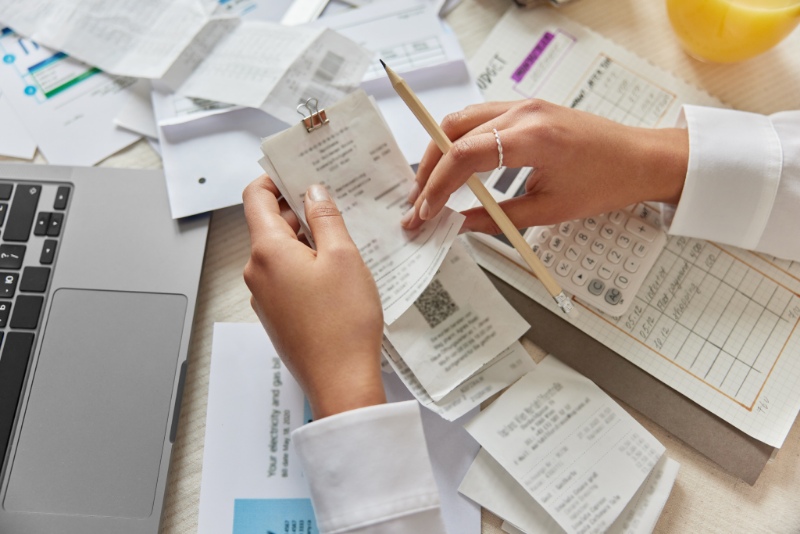
Most receipt scanning apps accept receipts from grocery stores, supermarkets, or food retailers. That includes Walmart, Target, Kroger, Safeway, Whole Foods, and Trader Joe’s. Many also take receipts from warehouse clubs like Costco and Sam’s Club.
You need a clear store name, purchase date, individual items with prices, and a readable total for the app to work. If your photo is blurry or the thermal paper is too faded, the app will probably reject it.
Receipts usually expire after 7 to 14 days, depending on the app. Fetch Rewards gives you 14 days, while Ibotta only gives you 7 days from the purchase date. So, you can’t dig through old receipts from last month and expect to get paid.
Some apps turn down certain types of receipts even if they’re from grocery stores. Digital receipts sent by email work with some apps but not all. Gas station snacks, pharmacy purchases inside a grocery store, and alcohol-only receipts might get declined, depending on the app’s rules.
Types of Apps: Any-Receipt vs. Offer-Based

Any-receipt apps like Fetch Rewards and Receipt Hog pay you no matter what you bought. You’ll get about $0.03 to $0.05 per receipt just for scanning. No planning needed. Buy store-brand crackers or organic veggies, it doesn’t matter—base points are the same.
Offer-based apps like Ibotta ask you to activate specific offers before you shop. You’ll see things like “$0.75 back on any brand of milk” or “$1.50 back on Cheerios.” If you buy those exact items, scan your receipt, and you’ll get more money per receipt than any-receipt apps. The catch? You need to check offers before you shop.
The smartest move is to stack both types with the same receipt. Buy milk with an Ibotta offer, scan that receipt in Ibotta for $0.75, then scan it in Fetch for another $0.03 to $0.05. That’s double-dipping rewards from a single receipt.
Data Privacy and Human Verification

Your shopping data actually has value because brands want to know what people are really buying. When you scan receipts, these apps sell aggregated data to market research companies. They see trends like “30% of shoppers bought organic milk this week,” but not “John Smith bought milk on Tuesday.”
Most receipt scanning apps use automated OCR first, then a real person checks the receipt if the scan fails. Someone might look at your receipt if the photo is unclear, but they only see what’s printed—no payment method or personal info.
You’re trading purchase data for cash, but that’s not the same as selling your identity. Apps like Fetch Rewards and Receipt Hog spell out in their terms that they aggregate and anonymize data before selling it. The money you get is basically your share of that data sale.
Top Cash Back and Points Earning Apps

Ibotta asks you to plan ahead but pays well with cash rewards. Fetch Rewards takes any grocery receipt and turns purchases into gift cards automatically. Receipt Hog works best as a passive backup app that adds small bonuses over time.
Ibotta: Planning for Maximum Rewards

Ibotta isn’t like most receipt rewards apps because you have to activate offers before you shop. Browse the app for stuff you usually buy, add those offers, then make your purchase and scan your receipt within 48 hours. Cash back lands in your Ibotta account, and you can transfer it to PayPal or Venmo once you hit $20.
The planning makes Ibotta less convenient than scan-anything apps, but it pays more on specific items. You can earn $0.25 to $3.00 per product if there’s a matching offer. Ibotta works at big chains like Walmart, Kroger, and Safeway, but you’ll need to submit paper receipts since Target’s digital integration is gone.
Most users earn $5 to $15 a month if they shop strategically. Check the app before making your grocery list, especially for pantry staples and household stuff where offers show up a lot. Stack Ibotta with store sales and coupons to save even more on things you’d buy anyway.
Fetch Rewards: Simple Scan, Reliable Points

Fetch Rewards gives you points on every grocery receipt from any store—no need to pick offers first. Snap a photo, and the app automatically checks for participating brands among 500+ companies in their network. You get base points just for submitting the receipt, plus bonus points if you buy featured products.
Points turn into gift cards at places like Amazon, Target, and Starbucks. You’ll need 3,000 points for a $3 gift card, and most receipts earn you between 35 and 200 points, depending on what you bought. Most people rack up enough for a $10 to $25 gift card every couple of months.
The scan takes less than 30 seconds, and receipts process almost instantly. You won’t get actual cash back, but the zero-effort approach makes Fetch Rewards the easiest app to use regularly. It works well with Ibotta since Fetch doesn’t need you to activate anything.
Receipt Hog: Casual Scanning with Extras

Receipt Hog takes receipts from any retailer and gives you coins based on your total purchase. Grocery trips under $10 earn fewer coins than big hauls over $50, so you get more for larger shopping trips. You also get spins on their slot machine game and entries into monthly sweepstakes, but honestly, those extras rarely add up to much.
You can convert coins to cash via PayPal or gift cards after you reach 1,000 coins (about $5). Most people need three to six months to get there, so Receipt Hog works better as a backup app, not your main receipt scanner. Just upload the same receipts you already scan in Fetch Rewards or Ibotta to double up.
Receipt Hog processes receipts slower than other apps and sometimes rejects unclear photos. Keep your expectations low and treat any money as a nice bonus, not reliable cash back.
See Related: Extreme Frugal Living Experiment Results Discover the Life-Changing Impact of True Frugality
Other Noteworthy Receipt Scanning Apps

Checkout 51 focuses on weekly grocery offers with solid payouts. CoinOut strips away the complexity for instant micro-earnings on any receipt. ReceiptPal rewards consistency across lots of store types without making you buy specific things.
Checkout 51 and Weekly Grocery Offers

Checkout 51 runs on a weekly offer cycle that resets every Thursday. You browse the deals, add the ones that match your shopping list, and submit your receipt after you shop to earn $0.25 to $3.00 per qualifying item.
You’ll need to hit $20 before you can cash out, which takes longer than with apps that have lower minimums. They send payment by check in the mail, not instant digital transfer. So, Checkout 51 works better for patient shoppers who plan grocery trips around the offers.
The app works in both the U.S. and Canada, so it covers more ground than some others. You can stack Checkout 51 with any-receipt apps like Fetch Rewards on the same trip since they do different things.
Check the app before your weekly grocery run. If a few offers match stuff you need, it’s worth the extra minute to submit your receipt. Don’t buy things you don’t want just to hit the $20 minimum faster.
CoinOut: Minimal Effort, Steady Rewards

CoinOut pays you $0.01 to $0.05 per receipt, no matter what you bought or where. Just scan your receipt, and the credit shows up instantly in your account.
You only need $1 to cash out with PayPal, which is one of the fastest minimums out there. If you want gift cards, you’ll need $5. Depending on what CoinOut assigns, you’ll reach $1 after scanning 20 to 100 receipts.
Gas station, coffee shop, pharmacy, dollar store—it all counts. The earnings per receipt are tiny, but the effort is basically zero. This isn’t a path to big monthly income, but it adds up over time.
CoinOut works best as part of a stack with higher-paying apps. Scan the same receipt in Fetch Rewards, Receipt Hog, and CoinOut to triple-up. The combined rewards beat using just one app.
ReceiptPal: Consistent Points, Flexible Stores

ReceiptPal gives you points based on how many receipts you scan, not what you buy. Scan four receipts per week to fill one card, and finished cards earn points you can redeem for gift cards or PayPal cash.
The app accepts receipts from grocery stores, convenience stores, drugstores, and most retail places. You’re just earning rewards for shopping where you normally do, kind of like receiptjar and other any-receipt platforms.
Points build up slowly compared to offer-based cash back apps, but you don’t have to plan anything. No offers to activate, no product lists to check. Just scan and collect points.
ReceiptPal gives you a consistency bonus if you scan receipts every week. Miss a week and you lose the streak and bonus points. Set a reminder to scan at least four receipts weekly to get the most out of this app.
See Related: Easy Frugal Habits for Beginners That Transform Your Finances
Extra Ways to Earn With Grocery Shopping Apps

Besides just scanning receipts, some apps pay you for walking into stores, scanning barcodes, or uploading receipts even if you didn’t buy anything. Shopkick rewards store visits and barcode scans. Swagbucks mixes surveys with receipt uploads. Amazon Shopper Panel pays $10 a month if you submit any 10 receipts.
Shopkick: Rewards for Scanning Barcodes
Shopkick pays you in “kicks” (their points) for walking into partner stores like Target, Walmart, and CVS. You don’t have to buy a thing. Just open the app when you walk in, and you’ll get 25-100 kicks per visit.
You can earn more by scanning specific product barcodes in the store. Shopkick lists featured products each week. Scan their barcodes with your phone and get 10-50 kicks per scan. You don’t have to buy the item to get the reward.
You can cash in kicks for gift cards starting at $2 (500 kicks). Popular choices include Amazon, Target, Starbucks, and Walmart digital gift cards. Most people pick up $5-$10 a month from casual scanning during regular grocery trips. If you’re really into it and hit multiple stores weekly, you could get $20-$30.
Shopkick works best when you’re already out grocery shopping. Spend a few extra minutes scanning barcodes while you walk the aisles. Stack this with your receipt scanning routine and you’ll double your earnings on the same trip.
Swagbucks and Magic Receipts

Swagbucks started off as a survey site, but they added Magic Receipts to keep up with dedicated receipt apps. You pick specific offers before shopping, then snap a photo of your receipt after you buy. Most offers pay 25–200 Swagbucks (SB) per item, so that’s about $0.25 to $2.00.
The best part? You can stack receipt earnings with other Swagbucks activities. Maybe you take a quick survey for 50 SB, upload a receipt for 100 SB, and watch a video for 5 SB. Everything piles up in one account, so you don’t have to juggle a bunch of apps.
You can cash out Swagbucks for gift cards starting at $3 (300 SB) or PayPal cash at $5 (500 SB). Sometimes, gift cards come with bonus value. For example, a $25 Amazon gift card might only cost 2,200 SB instead of 2,500 SB.
Magic Receipts does require you to activate offers, like Ibotta. If you forget, you won’t earn anything from random receipts. Invite friends using your referral code and get a bonus worth 10% of their lifetime earnings. That can turn into steady passive income if you bring in active users.
Amazon Shopper Panel: Passive Monthly Credits

Amazon Shopper Panel pays $1 per receipt, up to 10 receipts a month. That’s a guaranteed $10 in Amazon balance for uploading any 10 receipts from any store. No hoops to jump through—no offers or specific purchases. Just upload and get paid.
The catch? It’s invite-only. You’ll need to join the waitlist through the Amazon Shopper Panel website or app. Approval usually comes in 2–8 weeks, depending on demand where you live. Once you’re in, Amazon sends reminders to upload receipts throughout the month.
Your earnings go straight into your Amazon account as credits. No minimum threshold, no coins or points to redeem. The $10 just shows up after your 10th receipt each month.
This is honestly the best per-receipt payout out there. Compare it to Fetch’s $0.03–$0.05 per receipt or CoinOut’s $0.01–$0.05. If you shop on Amazon a lot, this basically pays for your monthly household stuff or chips away at your Prime membership.
You can upload receipts from grocery stores, pharmacies, gas stations, restaurants—pretty much any retail purchase. Amazon takes almost anything with an itemized list and a total. Some users also do surveys in the app for extra earnings, but just uploading receipts maxes out the $10.
Choosing the Best Receipt Scanning App for Your Needs

The best receipt app should reward you fairly for your grocery data, pay you quickly, and work smoothly every time you scan.
Comparing Key Features and Rewards

The top receipt scanner for groceries really depends on what you buy and where you shop. Ibotta pays more on name brands at big chains, but not much for generic store brands. Fetch Rewards gives you points for any receipt from any store, so it’s better if you shop at places like Aldi or Save-A-Lot.
Do the math before you get too invested. If an app gives 500 points per receipt but needs 50,000 points for a $5 reward, you’ll need to scan 100 receipts to get five bucks. That’s only five cents per scan. Apps that scan barcodes for specific items usually pay more, but you have to buy those products.
Check if your favorite stores are accepted. Some apps ignore gas station convenience stores or small ethnic markets. Others limit how many receipts you can submit per day or week, so your earnings might get capped.
The best apps also track your spending patterns for you. This makes it easier to see where your grocery budget leaks money without extra effort.
Instant Payouts, Redemption Options, and Gift Cards

Getting paid quickly matters just as much as earning rewards. The best receipt scanner apps let you cash out to your bank account or PayPal, often within 24–72 hours once you hit the minimum. Direct deposit means real cash, no strings attached.
Gift cards usually have lower minimums than direct deposit. You might get an Amazon card at $3, but need $25 for PayPal. This locks you into certain retailers, which is fine if you shop there anyway.
Watch out for conversion rates. Some apps hype up point values, but when it’s time to redeem, the math doesn’t add up. A $25 gift card for 25,000 points seems fair until you realize you’re earning half a cent per dollar spent.
Faster payouts give you more control. Waiting 30 days to cash out $10 doesn’t help much when you need grocery money now.
User Experience and App Reliability

A good receipt scanner works on the first try. If the app’s OCR tech is weak, you’ll end up retaking photos or entering details by hand, which is a pain.
Test the camera feature before you commit. Snap a receipt in regular lighting and see if the app accepts it right away. The best scanners handle blurry or faded receipts without fuss.
See how the app deals with problems. Some delete your points if you don’t redeem them within six months. Others ban accounts for “suspicious activity” and don’t explain why. Check recent reviews to spot issues like frozen accounts or missing rewards.
Battery drain and storage matter, too. Apps that always track your location can kill your phone battery. Look for apps under 100MB that don’t need always-on permissions. The best ones scan fast, sync to the cloud, and let you delete photos after upload.
Receipt Scanning Apps for Budgeting and Expense Management

Most receipt scanners just capture data, but the best ones help you manage spending by integrating with budgeting tools, making tax prep easier, and handling invoicing for freelancers and small businesses.
Integrations With Accounting & Budgeting Tools

Your receipt scanner should sync with the tools you already use. QuickBooks Online, Xero, and Zoho Books all accept direct data feeds from apps like Expensify, Dext, and Zoho Expense. With good integration, you snap a photo of your receipt, and the app sends the vendor, date, and amount straight into your ledger—no retyping needed.
Expensify syncs with QuickBooks and Xero with one click. Zoho Expense connects to Zoho Books and the whole Zoho suite, which is handy if you use several Zoho apps. Shoeboxed exports to QuickBooks and creates reports for Wave or any platform that takes CSV files.
For budgeting, not many apps tie directly into YNAB or Mint. Usually, you’ll export a spreadsheet and import it manually. That works for monthly reviews, but it’s not ideal if you want real-time updates. If you use Wave for free accounting, Shoeboxed’s export tool gets your receipts into Wave with just a few steps.
Integration table:
| App | QuickBooks | Xero | Zoho Books | Wave | Export Options |
|---|---|---|---|---|---|
| Expensify | Yes | Yes | No | Manual | CSV, PDF |
| Zoho Expense | Yes | No | Yes | Manual | CSV, Excel |
| Shoeboxed | Yes | Yes | No | Manual | CSV, Excel, PDF |
| Hubdoc | Yes | Yes | No | Manual | Native to Xero |
Small Business and Freelance Use Cases

Freelancers and small business owners need more than just a place to store receipts. You’ll want mileage tracking, approval workflows for teams, and card reconciliation if you use business credit cards.
Expensify tracks mileage with GPS and supports approval workflows, even on cheaper plans. If you hire a contractor or have an assistant, you can set spending limits and require manager approval before reimbursements go through. Zoho Expense has similar features at $5 per user per month, which is cheaper than Expensify if your team grows past five people.
Shoeboxed includes mileage tracking and works well for freelancers who drive to client meetings or job sites. You log trips in the app, and it calculates deductible miles at the IRS rate. That can mean big savings on your taxes if you drive a lot for work.
Card reconciliation is a headache if you use a business credit card for groceries or other expenses. Expensify’s Expensify Card links automatically, and Zoho Expense pulls transactions from major card providers to match with your uploaded receipts. This means no more scrambling at the end of the month to match statements with a pile of paper.
Tax Prep and Invoicing Features

Receipt scanners built for tax time save you a ton of stress in April. Shoeboxed creates audit-ready exports sorted by category, date, and vendor. You can send the PDF or spreadsheet straight to your accountant or import it into TurboTax.
Neat focuses on bookkeeping and tax prep, with scanning that pulls out line items and tax amounts. It’s probably too much for casual users, but if you have complex deductions or run a side business, it’s worth a look. Neat also generates profit and loss reports for Schedule C filings.
Invoicing isn’t common in grocery-focused apps, but it’s crucial if you resell goods or run a food business. Zoho Expense connects to Zoho Invoice, so you can bill clients for reimbursable expenses. Scan a grocery receipt for catering supplies, mark it billable, and it flows into your next invoice automatically.
Expensify offers invoicing too, but you’ll have to upgrade to find it. Most freelancers using Expensify for groceries skip invoicing and stick with tools like Wave or FreshBooks.
For tax prep, pick apps that categorize expenses for you and let you tag receipts as business or personal. Shoeboxed’s human verification service catches mistakes that OCR might miss, which helps if the IRS ever audits your grocery deductions.
See Related:
Frequently Asked Questions

People always want to know which apps pay the most, if their data is safe, and whether scanning receipts is actually worth the effort. The answer really depends on your shopping habits and how many apps you’re willing to juggle.
What are the top-rated receipt scanning apps for earning cash back on grocery purchases?
Ibotta stands out, with over 275 stores and cash straight to PayPal after 48 hours. You need to reach $20 before cashing out, but it works at big chains like Walmart, Kroger, Publix, CVS, and Walgreens. Fetch Rewards is a close second because it works at any store and gives you 10 points per dollar, no offer activation required.
National Consumer Panel gets high marks for taking receipts from almost anywhere, even gas stations and hardware stores. You scan any receipt and earn points for Amazon gift cards. ReceiptPal lets you scan up to 12 receipts a week for about 300 points, so it fits if you shop at lots of different places.
CoinOut gives you random change for each receipt, usually a few cents to a dollar. You can use it alongside other apps, since you can scan the same receipt on multiple platforms.
How user-friendly are the best grocery receipt scanning apps available for iPhone users?
Most receipt apps work well on iOS. They use your phone’s camera to capture and process receipts. Ibotta and Fetch Rewards both have simple interfaces—just tap, snap a photo, and the app reads the receipt in seconds. No typing required.
The main hassle comes with long or faded receipts. Apps like ReceiptPal sometimes reject blurry photos, so you might have to retake them. Fetch Rewards usually accepts lower-quality scans more often.
National Consumer Panel asks you to scan barcodes on some products in addition to receipts. This adds extra steps but can boost your points. If you want the easiest option, go with Fetch Rewards—it’s the least work.
Can you trust receipt scanning apps with your personal information and are they secure to use?
Receipt apps use your purchase data for market research. That’s how they pay out cash back. They anonymize your receipts and bundle them with thousands of others to track shopping trends.
Companies like Ibotta, Fetch Rewards, and National Consumer Panel use standard encryption to protect your info. You never upload credit card numbers—just photos of paper receipts. The real risk is more targeted ads, not identity theft.
Check the privacy policy before you sign up. Some apps share more data with advertisers than others. If you’re not comfortable with companies knowing your favorite cereal brand, these apps might not be for you. But if you’re okay trading shopping data for cash back, it’s a decent deal.
What options are there for cost-free receipt scanning apps that are effective for managing grocery expenses?
You can download just about any major receipt scanning app for free, and they won’t hit you with subscription fees. Ibotta, Fetch Rewards, ReceiptPal, CoinOut, and National Consumer Panel all work the same way: brands pay them for your shopping data, so you don’t have to.
Here’s the trade-off—these free apps make their money by nudging you to buy certain products or shop at their partner stores. Ibotta puts offers in front of you before you even shop, which can be a little tempting if you’re not careful.
Sometimes you might end up grabbing things you didn’t actually need. Fetch Rewards sidesteps that issue since you just scan your receipt and get points automatically, no picking offers required.
If you just want to track your expenses without chasing cash back, you might want to try budgeting apps instead of rewards ones.
Most receipt scanning apps focus on earning you rewards, not breaking down your spending habits. They’ll show you what you’ve scanned, but they won’t sort your purchases or warn you if you’re overspending on groceries.
How much can you realistically expect to earn by using apps that offer money back for scanning grocery receipts?
Most folks earn somewhere between $5 and $20 a month if they scan every grocery receipt and use several apps at once. Fetch Rewards gives you 10 points per dollar, so a $100 grocery run gets you 1,000 points, which is roughly a dollar in gift cards.
CoinOut might toss you another 25 cents for that same receipt. If you happened to buy featured items, Ibotta could add another dollar.
You can boost your rewards by stacking apps. Scan one receipt into Fetch Rewards, Ibotta, ReceiptPal, and CoinOut, and suddenly your earnings multiply.
If a family spends $600 a month on groceries, they could snag $10 to $15 just by scanning receipts. If they also buy sale items that match app offers, that could mean another $10 to $30.
Gas receipts work a little differently. GetUpside pays out 5 to 25 cents per gallon, and that adds up surprisingly fast.
If you fill up twice a week with 12 gallons each time, you’re looking at $2.40 to $12 a month just from gas. Honestly, the effort-to-reward ratio matters more than the total earnings, since scanning a receipt usually only takes about 30 seconds.
What are other users saying about their experiences with grocery receipt scanning apps on platforms like Reddit?
Reddit users often suggest stacking apps to squeeze out a bit more from the same receipts. Someone mentioned they grabbed an extra $10 a month just by scanning receipts into both ReceiptPal and CoinOut. Apparently, these apps don’t care if you upload the same receipt to both, so you get paid twice.
People complain a lot about rejected receipts and how slowly points add up. ReceiptPal, in particular, seems to reject faded receipts more than Fetch Rewards does. It’s annoying when apps force you to pick offers before shopping, especially if you like to grab things on a whim—you just miss out on those rewards.
Most folks agree these apps are really just for a little bonus, not real income. One person actually did the math and made $127 in a year using five apps, so that’s around $10.50 a month. Plenty of users give up after a few months when they realize the payout doesn’t justify the effort. Still, if you shop all the time and don’t mind the hassle, you might find it worth it.
Leave a Reply