
Grocery prices just keep going up, don’t they? Most folks try to push back with either rebate apps or coupon apps. These tools aren’t the same at all, though, and if you pick the wrong one for your habits, you could miss out on some savings.
Rebate apps like Ibotta and Fetch Rewards give you cash back after you shop by scanning receipts. Coupon apps, on the other hand, knock money off before you pay using digital codes or clipped offers. Both can help shrink your grocery bill, but they ask for different levels of effort and tend to suit different shoppers.

Here’s a breakdown of how each type works, which apps are actually worth your time, and how to figure out which approach fits your style. Maybe you’re wondering when rebates make sense, or when coupons are better, or how to use both without turning grocery shopping into a full-time gig.
The main goal? Spend less on food—without clipping piles of coupons or downloading a bunch of apps you’ll just ignore.
Key Takeaways
- Rebate apps pay you back after shopping when you upload receipts, while coupon apps lower your total before you pay.
- You can stack both savings on one purchase and stretch your grocery budget further.
- The best pick depends on whether you like instant discounts or don’t mind waiting for cash back.
How Grocery Rebate Apps and Coupon Apps Work

Rebate apps pay you back after you buy something and upload proof of purchase. Coupon apps give you discounts at checkout before you pay.
The biggest difference? When you actually see the savings and how you activate them.
What Are Grocery Rebate Apps?

Grocery rebate apps give you cash back after you buy groceries. You pay regular price at the store, then upload your receipt in the app to claim your rebate.
With Ibotta, you pick offers before shopping. Maybe there’s a $1 rebate on Tillamook cheese or $0.50 back on any yogurt.
After you buy, you upload your receipt or connect your store loyalty card. Ibotta checks your purchase and adds cash to your account.
Fetch Rewards skips all the offer selection. Just snap a photo of any receipt and earn points for what you bought. Some brands give bonus points, but you’ll always get 25 points just for uploading, even if it’s a fast food receipt.
Here’s how rebate apps work:
- Shop and pay full price at the store.
- Upload your receipt in the app within a day or two.
- The app checks for qualifying products.
- Cash or points show up in your account, usually within a few days.
- You cash out when you reach the minimum (usually $3–$20).
Most rebate apps let you redeem the same offer more than once. Ibotta, for example, lets you buy that same cheese three times and get $1 back every time.
How Do Coupon Apps Operate?

Coupon apps give you digital coupons that lower your total at checkout. You activate the savings before or during your shopping trip, and the discount applies right when you pay.
Digital coupons often live in store apps or third-party platforms. The Kroger app, for example, lets you clip digital coupons to your loyalty card.
Scan your card at checkout and those coupons automatically come off your bill. You see the savings right away, which feels pretty satisfying.
Some coupon apps create barcodes for cashiers to scan. Others link straight to your payment method. Shopkick, for instance, gives you a barcode in the app that takes money off instantly.
Coupon app process:
- Browse for coupons in the app.
- Click to “clip” or activate them.
- Link your loyalty card or payment method.
- Shop and buy the items.
- Savings come off automatically at checkout.
Store-specific apps like Target Circle or Walmart+ focus on one retailer and suggest coupons based on what you usually buy. Generic coupon apps work at lots of stores but might have fewer deals per location.
The big perk? Instant savings. You pay less at the register—no waiting for reimbursement or hitting a cash-out minimum.
Key Differences in Redemption and Process

Timing is the real divider. Coupon apps save you money right at the register. Rebate apps pay you back a few days later, after you prove you bought the item.
Here’s a quick look at payment timing:
| Feature | Coupon Apps | Rebate Apps |
|---|---|---|
| When you save | At checkout | 1–3 days after purchase |
| Requires receipt upload | No | Yes (most apps) |
| Pre-selection needed | Yes, must clip coupons | Varies by app |
| Cash-out minimum | None (instant savings) | $2–$20 |
| Works on sale items | Usually | Yes |
Rebate apps take more steps but let you stack more savings. You can use a manufacturer coupon at the store, get the sale price, earn credit card rewards, and still upload your receipt to Ibotta and Fetch. That’s a lot of layers on one purchase.
Coupon apps are simpler, but you can’t usually stack a digital coupon with a paper manufacturer coupon for the same item. Most stores block double-dipping like that.
Your shopping habits should steer your choice. If you hate extra steps and want instant results, coupon apps are the way to go.
If you don’t mind uploading receipts for an extra $10–$30 a month, rebate apps pay off better. Many people do both and stack them whenever they can.
Popular Grocery Rebate Apps

The four most popular grocery rebate apps each have their own spin: Ibotta has the biggest selection of brand-specific offers, Fetch gives you points for any receipt, Checkout 51 lets you claim the same deal up to five times, and Shopkick even pays you just for walking into stores.
Ibotta

Ibotta gives you cash back on hundreds of grocery items every week. You’ll see rebates on everything from milk and bread to frozen meals and snacks. Most Ibotta offers reset about three times, so you can buy the same thing on different trips and earn cash back each time.
Before you shop, open the app and add offers. After checkout, either link your store loyalty card or snap a photo of your receipt.
The cash lands in your Ibotta account within 48 hours. You need $20 to cash out through PayPal or gift cards.
Ibotta works at big stores like Walmart, Target, Kroger, and plenty of regional chains. Some offers work for any brand in a category, like “any yogurt,” while others require a specific brand.
Watch out for inactivity fees—if you ignore your account for 180 days, Ibotta starts deducting $3.99 every 30 days until you log back in. You can stack most Ibotta offers with manufacturer coupons, unless the offer says “cannot be combined.”
Fetch Rewards

Fetch Rewards skips all the prep work. You don’t have to pick offers or worry about brands ahead of time. Just scan your receipt after any purchase and Fetch gives you points for what you bought.
Fetch gives you 25 points for every receipt you upload—even if it’s just a coffee run. If you buy participating brands, you’ll get bonus points. Connect your Amazon, Walmart, Instacart, or Sam’s Club account and Fetch scans those digital receipts automatically.
You can cash out at 3,000 points (about $3 in gift cards). More gift card options show up at 10,000 points. Use referral code KCL when you sign up and you’ll get 1,000 free points.
Downside? You’re limited to gift cards—no PayPal or direct deposit. Big retailers like Amazon cost more points per dollar than smaller brands.
If you want rebates on specific grocery items, Ibotta is more targeted. But if you just want to earn on everything you already buy, Fetch is super easy.
Checkout 51

Checkout 51 stands out because you can redeem the same offer up to five times. If you see a plus sign next to a product, tap it and add multiple redemptions. Buy five of that item on different trips and claim the rebate each time.
The app refreshes offers weekly, usually on Thursdays. Offers work at any grocery store, pharmacy, or big-box retailer. After shopping, upload your receipt within 14 days and Checkout 51 credits your account.
You’ll need $20 to cash out through PayPal or a mailed check. Checkout 51 also offers gas rebates up to $0.10 per gallon at certain stations. Add the gas offer in the app, fill up within four hours using a credit or debit card, then scan your receipt within 24 hours.
Checkout 51 merged with Shopmium, which closed in November 2024. Former Shopmium users now use Checkout 51 for rebates. You don’t need store loyalty cards or to pre-select offers, but there are usually fewer total offers than Ibotta.
Shopkick
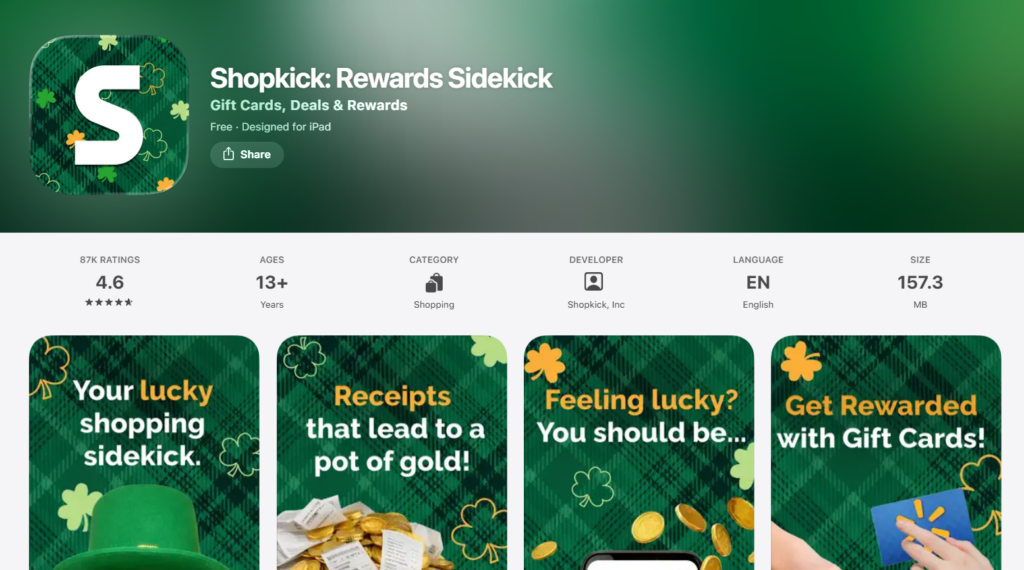
Shopkick pays you in “kicks” for more than just buying things. Walk into stores and you’ll earn 10 kicks automatically through Bluetooth.
Scan product barcodes in store for 20+ kicks each. Watch video ads for 1 kick apiece. Make online purchases with a linked card and earn 3 kicks per dollar.
Scan your receipt on Shopkick and you’ll get 200+ kicks depending on what you bought. The math is a bit weird—about 250 kicks equals $1 in gift cards, but it varies by store.
You can cash out at just 500 kicks ($2), which is the lowest minimum of any rebate app. Link your Walgreens or CVS card for extra earning chances. Refer a friend and get 500 bonus kicks when they earn their first 10 kicks in two weeks.
Shopkick rewards effort more than spending. If you’re already at Target, Best Buy, or the mall, Shopkick adds a little passive income.
But scanning barcodes in the aisles takes time. For just grocery rebates, Ibotta and Fetch are faster. Shopkick works best as a side hustle when you’re already out.
Popular Coupon Apps and Digital Coupon Tools
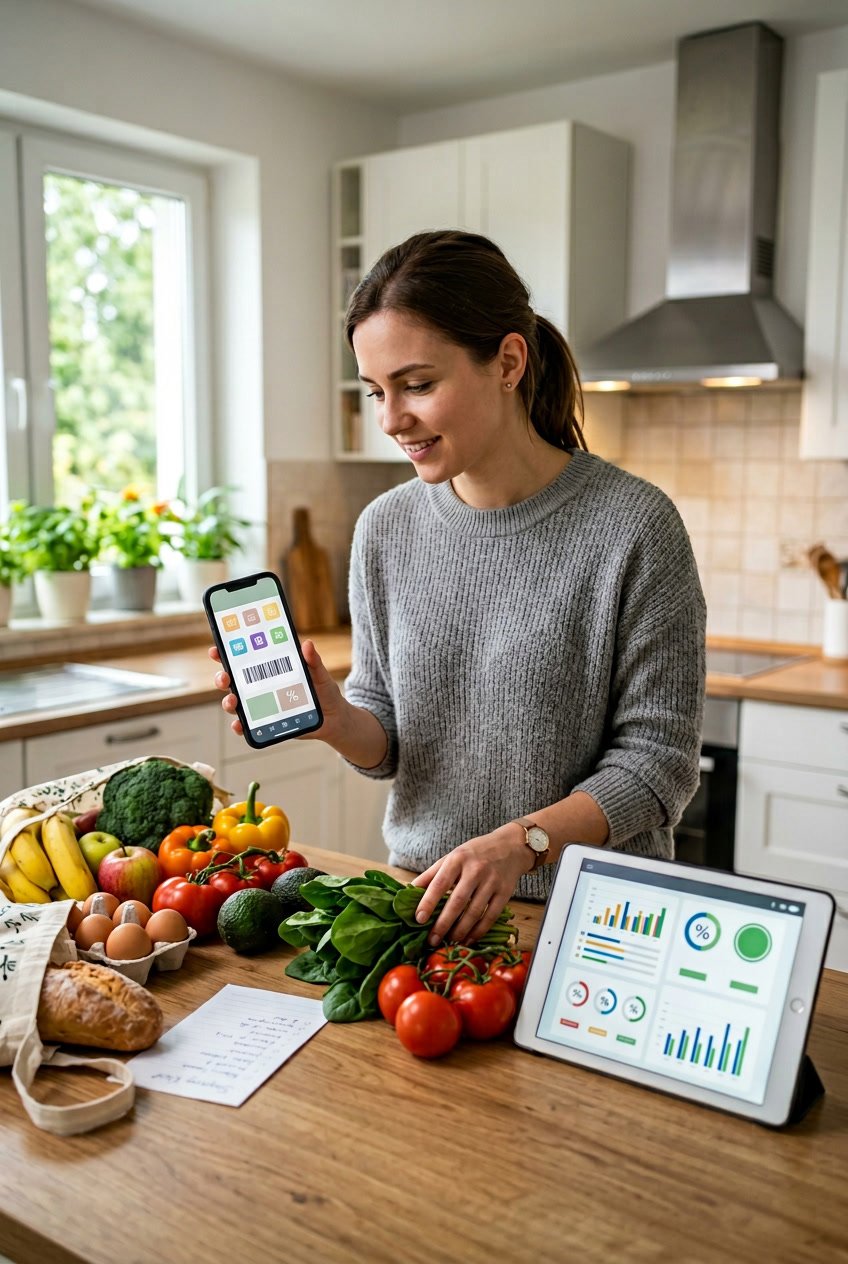
Coupon apps help you find and apply digital coupons before you shop, so you don’t have to scan receipts after checkout. Flipp shows you weekly ads from tons of stores in one place.
Coupons.com offers printable and digital coupons you can link to store cards. Retailer loyalty apps like Target Circle give you personalized deals based on your shopping history.
Flipp

Flipp puts weekly ads from grocery stores, pharmacies, and retailers in your area all in one app. You can check sales at Kroger, Walgreens, CVS, Target, and more without flipping through paper flyers or bouncing between websites.
Search for what you need and Flipp shows you which store has the best deal that week. Need Greek yogurt? Type it in and see every store running a sale. You can also clip digital coupons right in Flipp and link them to your store loyalty cards.
The real win is saving time. Instead of checking five different apps, you compare prices in one spot.
This makes it easier to decide where to shop before you even leave home. The Krazy Coupon Lady recommends using Flipp with rebate apps to stack savings.
But Flipp doesn’t give you cash back or rebates. It’s just a planning tool to show you what’s on sale and where.
Coupons.com

Coupons.com has both printable and digital coupons you can load onto store loyalty cards. Just create an account, browse the offers, and either print them at home or clip them to your linked store cards.
Digital coupons kick in automatically at checkout when you scan your loyalty card. Printable coupons work like the old-school manufacturer ones—just hand them to the cashier. You can use both types on the same trip if you follow the store’s coupon policy.
The app connects with most major grocery chains and drugstores. You’ll spot deals like $1 off Tide, $0.75 off Cheerios, or buy-one-get-one promos on personal care stuff. Some coupons limit how many times you can print or use them per account.
Coupons.com also offers a browser extension that hunts for coupon codes as you shop online. It tries each code at checkout and applies the one that saves you the most.
Target Circle and Retailer Loyalty Apps
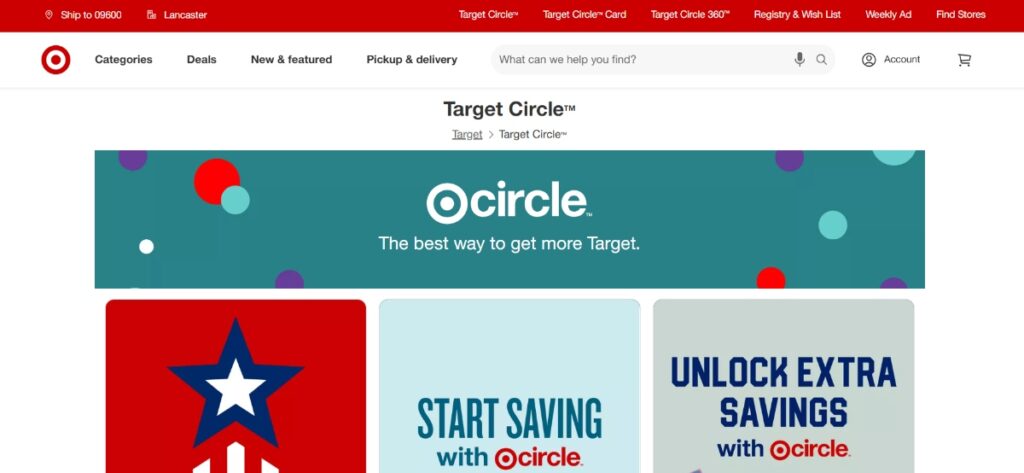
Store loyalty apps—think Target Circle, Kroger, and similar ones—give you digital coupons and bonus offers linked to your shopping account. Clip coupons in the app before you shop, and they’ll apply automatically when you scan your loyalty card or enter your phone number at checkout.
Target Circle gives you 1% back on everything you buy, plus access to tons of digital coupons that update every week. Sometimes you’ll get bonus offers like “spend $50 on groceries, get $10 off your next trip.” The Target app even lets you scan barcodes in-store to see if a coupon’s available.
Kroger’s app works pretty much the same way, with digital coupons you load onto your Kroger card. You’ll get personalized deals based on your usual purchases. Other chains—Safeway, Albertsons, CVS—have similar apps.
You don’t have to scan receipts with these apps since savings hit right at the register. Most stores still let you stack manufacturer coupons on top of digital ones. The bonus offers are where these apps really shine, especially if you hit spending thresholds or buy certain product categories.
The catch? You’ll need a separate app for each store. If you bounce between three grocery chains, that means juggling three apps and three sets of digital coupons.
See Related: Frugal Grocery Tips for Seniors to Slash Food Bills and Boost Health
Comparing Grocery Rebate Apps vs Coupon Apps: Pros and Cons

Rebate apps hand you cash back after you shop, while coupon apps drop your bill right at checkout. Both can save you money, but they work at different points in your shopping trip and have different levels of flexibility.
Ease of Use and Accessibility

Grocery rebate apps ask you to upload receipts or link store loyalty accounts after shopping. Apps like Ibotta and Fetch Rewards let you snap a quick photo of your receipt, and your cash back usually shows up within a day or two. No need to clip anything before you shop or mess with paper at checkout.
Coupon apps take a little more planning. You browse digital coupons before your trip, clip what you want, and make sure they’re loaded to your loyalty card or phone.
Some, like Kroger or Target, apply discounts automatically when you scan your card. Others make you show a barcode or punch in a code.
Rebate apps keep things simpler. Buy what you need, then scan your receipt.
Coupon apps want you to check offers first, match them to your list, and remember to activate them. If you forget to clip a coupon before checkout, you miss out. With rebate apps, you can still get cash back on stuff you already bought.
Savings Potential and Cash-Back Rewards
Rebate apps usually offer $0.25 to $5 per item, with the occasional $10+ bonus on certain products. Ibotta covers both brand names and store brands, while Fetch Rewards gives points for any receipt, regardless of what you buy. Those points turn into gift cards—anywhere from $3 to $50, depending on how many you rack up.
Coupon apps give you instant discounts, usually $0.50 to $3 per item for manufacturer coupons, and sometimes up to $5 off for store-specific digital coupons. You see the savings right away at checkout, which is huge if your grocery budget is tight and you can’t wait for rebates.
Stacking both types of apps really pays off. Say you use a $1 manufacturer coupon on cereal that costs $3.50, pay $2.50 at checkout, then submit your receipt to Ibotta for a $0.75 rebate.
Now you’re down to $1.75 out of pocket—almost half off. Some weeks, you’ll even get items for free or make money when you stack high-value rebates with coupons.
Flexibility for In-Store and Online Shopping

Rebate apps work at almost any grocery store since they rely on receipt uploads, not store integrations. Walmart, Target, Kroger, Aldi, and even local chains qualify for cash back through Ibotta and Checkout51.
You can also earn rebates for online grocery shopping at places like Walmart.com and Instacart by linking your account or uploading digital receipts.
Coupon apps usually tie you to specific stores. Kroger’s digital coupons only work at Kroger-owned stores. Target Circle coupons need a Target account.
That limits your options if you want to use the coupons you’ve clipped. Some, like Honey and Capital One Shopping, only work for online purchases and scan for promo codes at checkout.
If you shop at multiple stores each week to chase the best deals, rebate apps give you more freedom. You’re not stuck in one retailer’s coupon system.
But if you stick to a single store for convenience, their coupon app will probably give you better, targeted discounts. For online grocery shopping, look for apps that work with both in-store receipts and account linking so you can get cash back no matter how you shop.
Strategies to Maximize Grocery Savings

The biggest savings come when you layer multiple strategies on the same purchase. If you stack coupons with rebate apps, connect loyalty programs, and run your receipt through several cash back apps, you can cut your grocery budget by 30-50%.
Stacking Rebates with Coupons

Most rebate apps let you use manufacturer coupons on the same item. You get the discount at checkout, then earn cashback afterward.
For example, you might clip a $1 coupon for Tillamook cheese, use it at the register, then submit your receipt to Ibotta for a $0.75 rebate. Some offers reset every couple of days, so you can redeem them up to three times per week on separate trips.
Checkout 51 lets you redeem certain offers up to five times. If you buy yogurt often and there’s a $0.50 rebate, that’s $2.50 back after five purchases.
Always check the fine print, though. Some Ibotta offers say “cannot be combined with manufacturer coupons,” and if you ignore that, you’ll get your rebate denied. But when stacking is allowed, you can save 40-60% on brand-name items you already buy.
Combining Loyalty Programs and Gift Card Rewards

Store loyalty programs hand out personalized discounts based on your shopping history. Activating those digital coupons before you shop takes just a couple of minutes.
Kroger, Safeway, and Publix often offer 10-30% off items you buy regularly. You might save $5-$15 on a $100 grocery trip just by opening the app.
Try redeeming cashback for gift cards instead of cash. Ibotta lets you turn your earnings into Starbucks or Amazon gift cards at full value, and some apps give bonus points if you pick certain retailers. Fetch Rewards unlocks more gift card options once you hit 10,000+ points.
Brandclub syncs purchases from Amazon, Walmart, and Target automatically. You earn cash back when you buy from select brands, and some rewards unlock after a quick product survey. Just make sure your PayPal email matches your signup email to avoid payout headaches.
Using Multiple Apps for Bigger Returns

You can upload the same receipt to several apps since they all work independently. Use a coupon at checkout, send the receipt to Ibotta for brand-specific rebates, then upload it to Fetch Rewards for general points. Shopkick gives you kicks for walking into stores and scanning products—even before you buy anything.
Aisle Cash Back works through text messages, not an app, so it won’t clash with your other tools. One shopper spent $46.83 and got $64 back by stacking Aisle offers with other rebates.
If you spend $400 a month on groceries and run every receipt through three apps, you might get $40-$80 back depending on the week’s offers. Track which apps give you the best returns on your usual items, then stick with those. Some folks even use budgeting apps to see exactly how much they’re earning back each month.
See Related: Extreme Frugal Living Experiment Results Discover the Life-Changing Impact of True Frugality
Choosing the Best Option for Your Grocery Habits

How often you shop and where you go really determines which apps will save you the most. Apps that need planning work best for weekly shoppers, but if you’re more spontaneous, flexible receipt-scanning apps are easier.
App Selection Based on Shopping Patterns

If you shop once a week with a list, coupon apps like Ibotta make sense. You can browse offers ahead of time and plan your purchases around the best rebates. Combining these with store sales usually nets you the biggest returns.
If you make several quick trips each week, go for receipt-scanning apps like Fetch Rewards or Swagbucks. No need to pre-select offers—just upload your receipt and collect points on whatever you already bought.
Loyalty to a single store changes things too. If you shop at just one chain, their branded app usually beats third-party apps. Target Circle or Kroger’s app will almost always have bigger discounts for those stores than general rebate platforms.
Online grocery shoppers should look for apps that handle digital receipts. Upside and Dosh link to certain retailers and track purchases through your card, so you skip the receipt upload step. But coverage depends on your location and store.
User Experience and App Community Insights

Some apps make you tap through a bunch of offers before every shopping trip, which can be a hassle. Basket was designed to make this easier by comparing prices across stores, but it works best if you live near several competing grocers.
Cash-out thresholds matter too. Apps with $25 or $30 minimums can take months for light shoppers to reach. Drop and similar card-linked programs usually let you cash out at $5 or $10.
People say apps with frequent offer updates keep things interesting, but they can tempt you to buy stuff you don’t really need. Apps with steady “any brand” offers on basics like milk or bread are better for sticking to your meal plan. If you use budgeting tools like EveryDollar, you can track whether rebate apps are actually saving you money or just encouraging extra spending.
Potential Pitfalls and Frugal Tips

One of the biggest traps is buying things just because there’s a rebate. A $1 rebate on a $5 item you wouldn’t normally buy still leaves you $4 poorer.
Keep an eye out for apps that sell your shopping data. Free apps need to make money, and your purchase history is valuable to advertisers. If that bugs you, check the privacy policy.
Receipt rejection happens more than you’d think. Blurry photos, faded thermal paper, or missing dates can get your submission denied. Take photos right after checkout in decent lighting, and hang onto your receipts for a couple of weeks in case you need to resubmit.
Stack as many apps as you can on the same receipt. Upload one to Ibotta for brand rebates, then to Fetch for points, and use your credit card rewards too. This triple-dipping sometimes gets you more than 15% back on certain purchases.
Set a monthly cap on how much time you’ll spend managing these apps. If you’re putting in an hour a week for $8 in rebates, you’re basically working for less than minimum wage.
See Related: Best Grocery Price Comparison Apps That Will Save You $1000 This Year
Frequently Asked Questions

Here are answers to common questions about how grocery rebate apps stack up against coupon apps, which ones offer the best savings, and what features actually matter when you’re trying to cut your grocery bill.
What are the top picks for best grocery rebate apps for maximizing savings?
Ibotta really shines if you want grocery rebates. You get hundreds of offers, and they reset up to three times every couple of days.
Sometimes, you can redeem the same offer three times per receipt, so you end up with real money back on stuff you actually buy. Once you hit $20, you can cash out with PayPal or gift cards, which feels pretty reasonable after a few trips.
Fetch Rewards works a bit differently but comes in as a strong second. You just upload any receipt—doesn’t matter what you bought—and you score 25 bonus points every time, no fuss. Once you hit 3,000 points (about $3 in gift cards), you can cash out.
Checkout 51 lets you redeem some offers up to five times. That’s more than most other apps give you.
You do need to reach $20 before you can cash out through PayPal or by check. If you drive a lot, you can earn up to $0.10 per gallon back on gas, which adds up over time.
Brandclub is a solid choice if you do most of your shopping at Amazon, Target, Walmart, or Kroger. It syncs automatically with these retailers, so you don’t have to mess with uploading receipts.
Some rewards show up right away, but others need you to fill out a quick product survey first. The $10 minimum for cashing out through PayPal or Venmo is manageable, though the way rewards lock and unlock can get confusing.
How do cashback apps with receipt submissions work compared to traditional coupon apps?
Traditional coupons knock money off your total right at checkout. You either clip physical ones or load digital codes to your store loyalty card. You see those savings instantly on your receipt.
Cashback apps flip that around. You pay full price, snap a photo of your receipt or link your email, and the app credits your account later. Sometimes it’s 24 hours, sometimes a few days—it depends on the app.
The real win comes from stacking. You can use a manufacturer coupon at checkout, add your store loyalty discount, and then upload that same receipt to several rebate apps for extra cash back.
For example, you might use a $1 coupon on Tillamook cheese, get $0.50 back from Ibotta, earn points on Fetch, and also redeem a Checkout 51 offer—all for the same cheese. Each app works on its own.
Coupon apps want you to plan ahead—clip or activate offers before you shop. Rebate apps like Fetch skip all that. You just upload any receipt and get points, plus bonuses if you happened to buy certain brands.
You’ll need to keep track of paper receipts or connect your email for digital ones. If you shop at a lot of stores or tend to toss receipts, it takes some getting used to. Some folks find it a hassle, but others like earning cash back without having to change their shopping style or hunt down specific items.
Can you recommend some free cashback applications that are user-friendly for beginners?
Fetch Rewards is probably the easiest. You don’t have to pick offers in advance. Just snap a photo of any receipt from any store, and you get 25 points, plus extra if you buy featured brands.
You can also link your Amazon, Instacart, Sam’s Club, and Walmart accounts for automatic e-receipt scanning. The app shows your points clearly, and you can cash out at just 3,000 points for a $3 gift card.
Ibotta takes a little more planning, but it’s still simple. Browse offers before you shop, tap the ones you want, buy those items, and upload your receipt.
The app matches your purchases for you. If you shop at certain stores, you can link your loyalty card and skip the receipt step. Offers are sorted by category, so you can quickly find rebates for things you actually need.
Shopkick keeps things interesting. You earn “kicks” for walking into stores, scanning barcodes, or uploading receipts—so you don’t even have to buy anything to start earning. The minimum cash out is just 500 kicks, which equals $2 in gift cards.
Aisle Cash Back skips the app altogether. You sign up with your phone number and ZIP code, get text offers for local products, buy them, and text back a photo of your receipt.
No minimum cash-out. If you’re tired of downloading apps or just want something super simple, this one’s worth a try.
All four apps are free to use. They don’t charge membership fees or ask for credit card info upfront.
Which apps provide seamless automatic cash back when shopping for groceries?
Brandclub syncs with Amazon, Walmart, Target, Kroger, and Chewy. Once you link your accounts, the app finds your qualifying purchases automatically—no need to upload receipts. You earn cash by buying select brands.
Some rewards show up instantly, while others ask you to answer a quick product survey. The $10 PayPal or Venmo minimum makes cashing out pretty straightforward.
Ibotta offers automatic redemption if you link your store loyalty cards at participating retailers. After you activate an offer and make a purchase with your linked account, Ibotta spots the transaction and credits your account—no photo needed. This works with big chains, but not every grocery store is on board.
Fetch Rewards gets automatic, too, when you link your Gmail, Yahoo, AOL, or Outlook email. The app scans your inbox for digital receipts and adds points to your balance. You can also link Amazon, Instacart, Sam’s Club, and Walmart accounts for hands-free scanning.
For physical receipts, you still need to upload them manually.
These automatic features save time, but you’ll need to give the apps access to your email or retailer accounts. If you worry about privacy, you might prefer uploading receipts yourself. It’s a balance between convenience and how much data you’re willing to share.
Make sure the email you use for online shopping matches the one linked to your rebate app. If they don’t match, the app won’t find your receipts automatically.
How does the popular Ibotta app compare to other savings tools available in the market?
Ibotta really focuses on grocery rebates, probably more than most other apps out there. You’ll usually find hundreds of offers at any given moment.
A lot of these deals reset up to three times, so you can grab the same rebate more than once. That’s pretty handy if you buy the same stuff often.