
When I kicked off my frugal journey about three years ago, I was buried under $12,000 in credit card debt and barely scraping by each month. My turning point? Honestly, it was a no-frills Excel spreadsheet where I tracked every single dollar—what came in, what went out, all of it.
Budget templates built for frugal living can seriously help you cut expenses by 20-30% without making you feel like you’re missing out on life. These tools take the messy, stressful side of money and break it down into bite-sized monthly plans. Suddenly, you see where your cash actually disappears—spoiler, it’s usually not where you think.

If you find budgeting complicated or just plain restrictive, you’re definitely not the only one. Most people toss their first budget in the trash after two weeks because the system’s too complex or the limits are just not realistic.
The trick is picking templates that actually fit your life and your goals. Whether you’re hustling to build an emergency fund on $30k a year or juggling debt and family life, there’s a template out there that will actually work for you.
This guide’s got your back with budget templates that make frugal living feel doable, not suffocating. I’ll show you digital tools, printable worksheets, and some clever formats that help you track expenses, spot those sneaky money leaks, and finally stick with habits that last.
Key Takeaways
- Budget templates uncover your spending patterns and help you slash unnecessary expenses by up to 30%.
- Not every format fits every person—some folks need simple printables, others swear by automated apps.
- The best templates track income, break down expenses, and set clear goals.
How Budgeting Templates Can Help You Live Cheaply

Budgeting templates flip your approach to frugal living by shining a light on your spending habits. They make those big, vague financial goals feel less like daydreams and more like steps you can actually take.
Benefits of Budget Templates for Frugal Living

You’ll track spending patterns down to the penny, spotting money drains you didn’t even realize existed. That $127 a month on random subscriptions? Yeah, it adds up. Coffee runs? Oof, $85 a month, easy.
Budget templates hold you accountable to your goals. When you see restaurant spending blow past your grocery budget by 40%, those numbers hit different.
Finding places to cut back gets way easier with everything laid out. Maybe utility bills spike every winter—your template lets you plan seasonal adjustments and stay ahead.
You can set realistic saving targets because you finally know what’s left after bills. No more wild guesses—your discretionary income is right there in black and white.
Templates make your personal finance journey feel real. Watching debt shrink by $200 a month or your emergency fund tick up by $150? That’s the kind of progress that keeps you going.
Overcoming Obstacles to Saving

Impulse spending gets a leash when you set budget categories ahead of time. If you’ve got $50 for “fun money” and it’s gone, well, that’s it for now.
Irregular income can be a headache, but flexible templates let you adjust categories when things swing up or down. That way, you don’t blow extra cash on a good month.
Competing priorities start to make sense when you allocate clearly—maybe 60% for needs, 20% for wants, 20% for saving. You get to enjoy little treats without derailing your bigger goals.
Motivation? It sticks around when you see that your cable cut saves $80 a month. Multiply that by 12, and hey, you’ve got $960 for next year’s vacation.
Complicated finances—multiple incomes, bills, savings goals—get easier to manage when you organize them all in one place.
Transforming Your Financial Habits with Templates

You’ll make daily money decisions with more intention. Before you order takeout, you check the dining out category. Sometimes that’s all it takes to skip it.
Long-term planning gets way simpler. If your template shows higher bills in July, you can stash a little extra in January and not sweat it later.
Mindful spending becomes second nature. Every purchase gets a category, which makes you pause before swiping your card.
As you keep up with your template system, your financial confidence grows. You know exactly what you can spend on groceries, fun, or those surprise expenses that always pop up.
Your budgeting journey shifts from “Where did my money go?” to “I know exactly where every dollar’s going.” That’s a game-changer.
You’ll build sustainable habits that make cheap living stick. Checking categories before spending becomes automatic, and you adjust before things get out of hand.
Essential Information to Include in a Budgeting Template

A solid budgeting template needs three things: track all your income, organize expenses into clear categories, and plan out savings plus any giving. If you want every dollar to work for you, these are non-negotiable.
Tracking Income for an Accurate Overview

List every single dollar coming in each month. That means your paycheck, side gigs, freelance work, whatever.
Regular Income Sources:
- Main job salary or wages
- Part-time paychecks
- Freelance or gig cash
- Investment dividends or interest
- Rental income or other passive money
If your income bounces around, use the lowest you’ve made in the last three months as your baseline. It’s safer and keeps you from overspending.
Always write down your take-home pay after taxes and deductions. Gross income doesn’t pay the bills—net income does.
Couples, add up both incomes for a full household snapshot. It’s the only way to see your real earning power.
Update your numbers every month. Hours, commissions, projects—they all change, and your budget needs to keep up.
Organizing and Categorizing Expenses

Sort your expenses by priority. Start with must-haves, then cover other important stuff, and finally, the nice-to-haves.
Essential Categories (Four Walls):
- Housing (rent, mortgage, property taxes)
- Food (groceries, basics)
- Transportation (car, gas, insurance)
- Utilities (electricity, water, phone, internet)
Other Important Categories:
- Insurance premiums
- Debt minimums
- Childcare or medical bills
Discretionary Categories:
- Entertainment and eating out
- Clothes and personal care
- Hobbies and subscriptions
- Miscellaneous stuff
Set amounts based on what you’ve actually spent—dig into your bank statements for the last couple of months. You might be surprised.
Always add a miscellaneous line for the weird expenses that pop up. $50-100 a month usually covers it.
Allocating Funds for Saving and Giving

Make sure your template includes lines for saving money and giving. These aren’t just “if there’s anything left” items—they’re part of the plan.
Saving Categories:
- Emergency fund (even $500-1000 is a good start)
- Specific goals (vacation, car repairs, holidays)
- Retirement
- Long-term savings
If cash is tight, start small. Even $25 a month gets the ball rolling and builds momentum.
Giving Categories:
- Charities
- Gifts for loved ones
- Community or religious giving
Figure out what feels right for you—maybe $20 for birthdays, $100 for a cause you love.
Plan these amounts before you spend on everything else. If you leave them for last, chances are, you’ll skip them.
When you subtract all expenses (including saving and giving) from your income, you want to hit zero. That means every dollar has a job.
See Related: Frugal Tips to Save Money: Budget-Friendly Strategies for Financial Freedom
Types of Budgeting Templates for Living on Less

Different budgeting templates do different jobs when you’re stretching every penny. Monthly templates give you the big picture, weekly templates keep you on track day-to-day, and zero-based budgets make sure no dollar slips through the cracks.
1. Monthly Budget Templates

Monthly budget templates act as your money roadmap for the whole month. You see where your cash is going and spot places to trim.
If you get paid monthly, these are a lifesaver. Plan for rent, utilities, groceries—everything at once.
Key sections:
- Monthly income (after taxes)
- Fixed bills (rent, insurance, phone)
- Variable stuff (food, gas, fun)
- Savings goals
- Debt payments
Say you bring in $3,000 and spend $1,200 on rent, $300 on groceries, $200 on utilities. That leaves $1,300 for everything else.
The best ones let you compare your plan to real-life spending. Overspent on groceries? You’ll see it.
2. Weekly Budget Templates
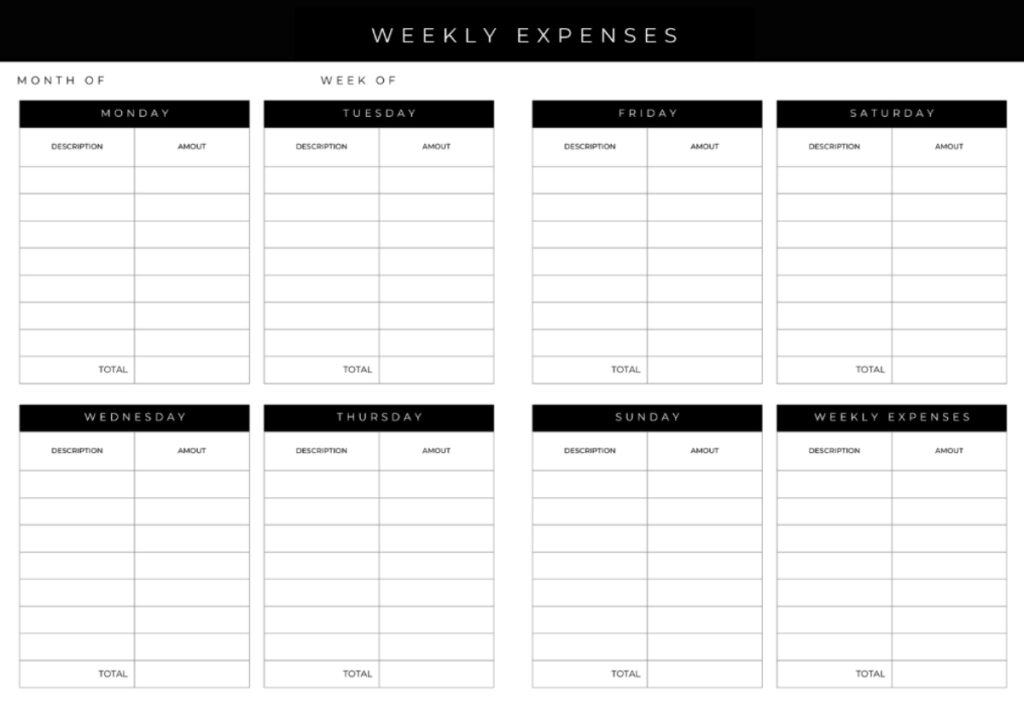
Weekly budget templates give you laser focus on your spending right now. If money’s tight or you get paid every week, these are a must.
They help you avoid blowing your budget the first week of the month. Set aside $75 for groceries each week instead of $300 all at once.
Weekly templates cover:
- Weekly income
- Immediate needs (food, gas, childcare)
- Small savings ($10-25 each week)
- Cash flow for the next few days
If you earn $400 a week, maybe $100 goes to groceries, $50 to gas, $30 to household stuff. The rest covers surprises.
They work especially well with the envelope method—cash in labeled envelopes for each category.
3. Zero-Based Budget Templates
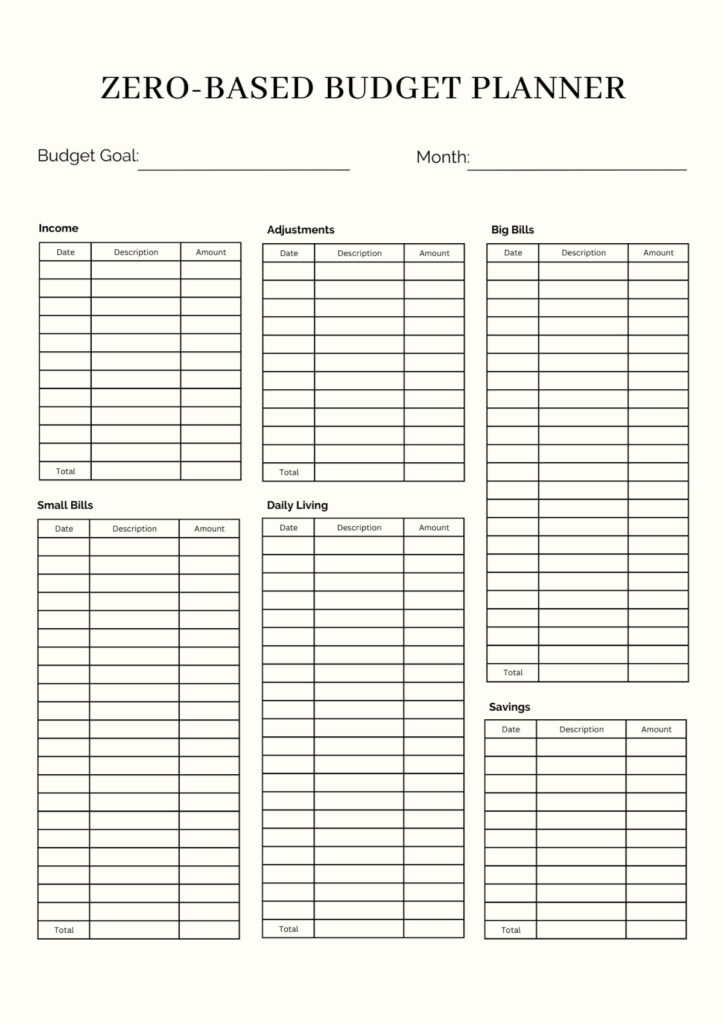
Zero-based templates make you give every dollar a job before you spend it. Income minus expenses should equal zero, no exceptions.
This approach stops those “where did it go?” moments. Every dollar lands in a category—bills, savings, whatever.
Zero-based budgets have:
- Total monthly income
- Every single expense
- Savings as a non-negotiable “bill”
- Emergency fund contributions
For example, $2,800 income gets split into $1,100 for housing, $400 for food, $200 for transport, $300 for savings, $800 for everything else. Done.
Most zero-based templates use budget spreadsheets with formulas that do the math for you.
If you didn’t budget $50 for coffee, you can’t spend it. Simple as that.
Popular Formats: Printables, Digital Sheets, and Apps

Budget templates come in three main flavors—printable worksheets, digital spreadsheets, and apps. Each one fits different personalities and routines.
4. Printable Budget Templates and Worksheets

Printable budget templates are about as hands-on as it gets. Print them out at home and fill them in with a pen—no tech required.
If you’re the type who remembers things better when you write them down, these are a dream. There’s something about seeing your expenses in your own handwriting.
Popular printables include:
- Monthly budget planners
- Weekly expense trackers
- Debt payoff charts
- Savings trackers
You don’t need Wi-Fi or fancy programs. Take them anywhere, use them even if your phone’s dead.
Downside? You do the math yourself, so mistakes can sneak in.
Tons of websites give these away for free—just download the PDF and print as many as you want.
5. Excel and Google Sheets Budget Templates

Let’s be real—Excel and Google Sheets make budgeting so much easier, especially if you dread math. These tools do the heavy lifting with formulas and spit out charts before you’ve even finished your coffee.
Google Sheets templates? Totally free, and you can check your budget from your phone while waiting in line at the grocery store. No need to be at your desk.
Excel templates sometimes take things up a notch:
- You get instant category totals
- Trend graphs that show if you’re slipping
- Progress bars for goals (love those)
- Easy side-by-side month comparisons
With a budget spreadsheet, you get to call the shots. Add a category for your dog’s treats, splash some color, or tweak formulas if you’re feeling fancy.
If you’re not a spreadsheet person, setting these up might feel intimidating. But once you get over that hump, you’ll save so much time it’s almost silly.
You can grab official templates or just swipe one from the endless supply online. People love sharing their creations—some are surprisingly good.
6. Budgeting Apps for Frugal Households

Budgeting apps link up with your bank accounts and track your spending automatically. No more typing in every single coffee purchase (unless you want to).
Apps like YNAB, EveryDollar, and PocketGuard are popular with frugal folks. They charge around $72-$109 a year, but honestly, they catch overspending before it gets out of hand.
If you’re after free, Mint or the basic versions of paid apps do the trick. You’ll get fewer bells and whistles, but your main categories are covered.
Apps ping you when you’re about to blow your budget. That real-time nudge? It can save you from yourself.
The biggest win is pure convenience. Your budget updates as you swipe your card—no extra work.
But you need a reliable internet connection, and if the app vanishes, so does your data. Some people also hesitate to link their bank accounts to anything third-party.
I’ve noticed apps work best when you combine them with hands-on methods like envelopes or zero-based budgeting.
Best Templates for Specific Financial Goals

Let’s face it, your budget needs aren’t the same as your neighbor’s. A college kid counting textbook money isn’t doing the same thing as a family juggling retirement and three credit cards.
Budget Binders for Organization

A budget binder can turn your messy pile of receipts into a system that actually works. Think of it as your financial command center—everything in one spot, finally.
Most binders come with monthly expense sheets, bill trackers, and savings goal pages. Print out Google Sheets templates and pop them in a three-ring binder with monthly dividers.
Consistency is the secret sauce. Paid a bill? Update your binder. Spent $47 on groceries? Write it down before you forget.
Popular binder sections:
- Monthly income/expense sheets
- Bill calendars
- Savings trackers
- Receipt pockets
- Debt payoff pages
If you like writing by hand or just want a screen break, physical binders can be a game-changer. There’s something about putting pen to paper that helps the numbers stick.
Debt Trackers and Expense Trackers
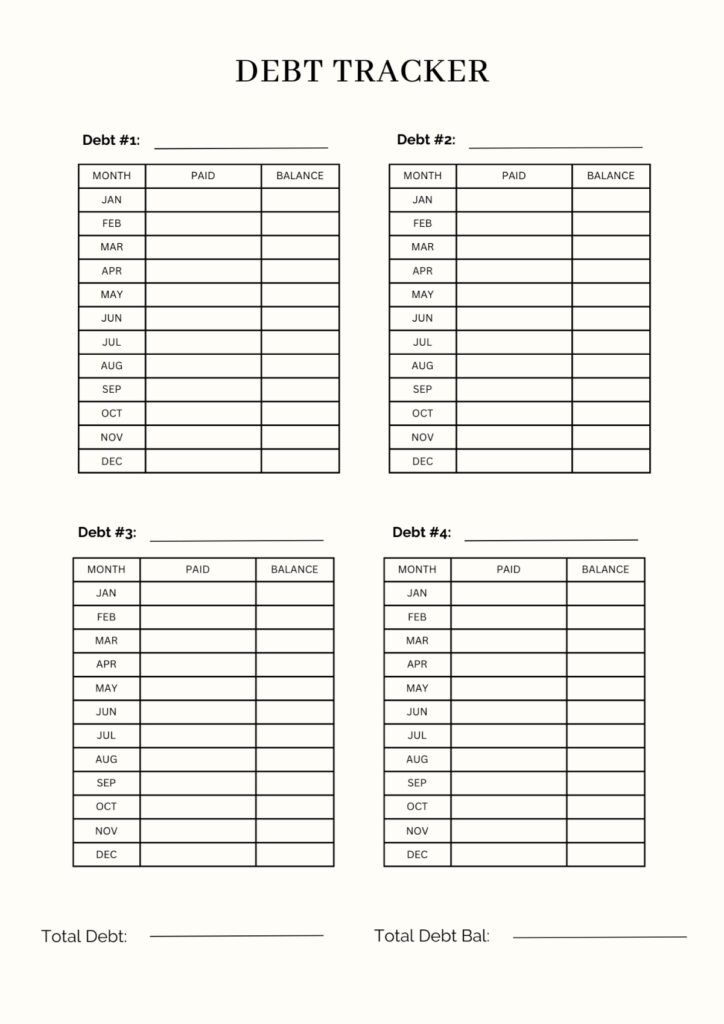
A debt tracker lays it all out—how much you owe, what’s left, and when you’ll finally be free. You’ll see each debt, the balance, the payment, and the interest rate.
Some people swear by the debt snowball method. List debts smallest to largest, pay off the little ones first, and get that sweet sense of progress.
An expense tracker shows where your money actually goes. You might think you’re frugal, but then you spot $200 a month on lattes and random subscriptions.
Good tracking includes:
- Daily spending entries
- Clear breakdowns (food, rides, fun)
- Compare to your budget each month
- Spotting trends
A weekly check-in keeps little leaks from sinking your ship. If you already blew $80 on takeout by Wednesday, you know it’s time to cook at home.
Templates for Family and Shared Budgets

A family budget template helps you juggle multiple incomes, shared expenses, and everyone’s spending money. You’ll find sections for childcare, school costs, and family outings.
Shared templates work for roommates or couples, too. You each chip in for rent and groceries, but keep a little for yourself.
Family budget categories:
- All household income
- Shared bills (mortgage, food, utilities)
- Personal spending allowances
- Kids’ stuff (supplies, activities)
- Family savings goals
Communication is everything. Monthly budget meetings keep everyone on the same page. Some families even go old-school and use cash envelopes for each category.
Financial Goals and Savings Sheets

A financial goals sheet breaks down big dreams into small steps. Don’t just write “save for vacation”—say, “stash $2,400 for Europe by December 2026.”
These sheets usually show your target, your deadline, and how much you need to save each month. Want a $6,000 emergency fund in two years? That’s $250 a month.
Goal tracking features:
- Specific amounts and deadlines
- Monthly savings targets
- Progress bars or charts
- Auto-transfer schedules
Seeing your progress in pictures keeps you going. Watching your emergency fund climb from $500 to $3,000 on a chart feels way better than just reading numbers.
When you have several savings goals, rank them. Emergency fund comes first, then vacation, then maybe that new car.
See Related: Frugal Meaning: Life-Changing Habits That Saved Our Family $15,000
Tips for Making the Most of Budget Templates

A budget template is only as good as how well it fits your life. Don’t force yourself into someone else’s categories—make it yours and tweak it as you go.
Customizing Budget Templates to Match Your Habits

Your budget planner should work with you, not against you. If you’re grabbing coffee every morning, don’t pretend you’ll stop—just make a line item for it.
Start by scanning three months of bank statements. Spot patterns like Friday splurges or mid-month grocery runs. Add those to your template instead of hiding them in vague categories.
Try customizing like this:
- Split “entertainment” into streaming, eating out, and hobbies
- Break “groceries” into main shops and quick runs
- Separate “transportation” into gas, parking, and rideshares
If you get paid every two weeks, set up your planner to show two paychecks. Some people find it easier to budget $100 twice a month than $200 once.
Think about your style. Detail lovers might want separate lines for everything. Others just want broad categories and less fuss.
Tracking Expenses Consistently

Your tracking system only works if you stick with it. Pick something quick—less than two minutes a day. Whether it’s an app, envelopes, or a notebook, just do it.
Set up bank alerts for purchases over $20. You’ll catch big spends before they surprise you.
Some real-life tracking tricks:
- Snap a photo of each receipt
- Use your phone’s voice recorder for cash buys
- Check your account while sipping your morning coffee
- Set reminders for your usual spending times
Don’t stress about perfection. Miss a few days? No big deal. Giving up is the only real mistake.
Tie tracking to something you already do. If you scroll Instagram after lunch, make that your expense review time.
Reviewing and Adjusting Your Budget Monthly

Your budget needs a monthly tune-up. Block out 30 minutes at the end of each month to see what worked and what flopped.
Spot your overspending trends. If groceries keep busting the budget, either bump up that category or plan meals and shop sales.
Monthly review checklist:
- Compare actual vs. budgeted spending
- Find your three biggest surprises
- Adjust unrealistic categories by 10-20%
- Prep for next month’s oddball expenses
Don’t overhaul your budget after one rough month. Overspent on takeout? Maybe you just need a more honest restaurant budget, not a ban.
Celebrate your wins, even tiny ones. If you stayed under budget in a few categories, give yourself credit. That little boost helps you keep going.
Some months will sting thanks to surprise bills or income drops. Don’t chase perfection—just build a system that can flex with your real life.
See Related: Frugal Behavior Secrets That Doubled My Savings in 6 Months
Frequently Asked Questions

Budget templates always spark questions, especially if you’re pinching pennies. Let’s tackle some of the most common ones—no fluff, just practical answers.
How can I effectively use a simple budget template in Excel to manage my expenses?
Start with your take-home pay and three months of bank statements. Real numbers beat wild guesses every time.
Set up three columns in Excel: Income, Fixed Expenses, and Variable Expenses. Fixed is your rent and insurance—stuff that doesn’t change.
Variable expenses are groceries, gas, and fun money—those bounce around. Use the AVERAGE function to see what you usually spend in each variable category.
Add a fourth column for your target in each category. This makes it obvious where you need to cut back.
Highlight overspending with conditional formatting—let those red cells jump out at you.
Subtract total expenses from income with a simple formula. If you get a negative number, it’s time to make changes, no sugarcoating it.
Where can I find a comprehensive yet free budget worksheet PDF to track my spending?
NerdWallet offers a free budget template based on the 50/30/20 rule. No email signup needed, just download and go.
Microsoft Create lists several personal budget templates for different situations. Download them straight to your computer—no fees.
Google Sheets has templates that auto-calculate totals and percentages. They’re great if you want to track everything from your phone or laptop.
Check your local library for free printed worksheets. Many libraries even have financial software you can use on-site.
Credit unions often hand out free budget tools to anyone who asks. Call yours and see what they’ve got.
What are some strategies for applying the 50/20/30 budget rule to live more affordably?
The 50/30/20 rule splits your income: 50% needs, 30% wants, 20% savings/debt. It’s a solid way to avoid lifestyle creep and keep your future self happy.
Figure out your exact after-tax income first. If you bring home $3,000, that’s $1,500 for needs, $900 for wants, and $600 for savings.
Try to keep housing under 25% of your income. That might mean downsizing or getting roommates, but it keeps your budget sane.
Transportation can wreck your needs category. Look into public transit, carpooling, or a used car if you must drive.
Sometimes, you can sneak a “want” into the “needs” column. Basic phone plan? Need. Unlimited data? Maybe not.
If 20% savings feels impossible, try the 60/30/10 rule. It’s not perfect, but it’s a start.
Could you suggest practical tips for adhering to a budget of $1000 a month?
Living on $1,000 a month? That’s tough, but not impossible with some creativity.
Find housing for $400 or less—think roommates, house-sitting, or moving somewhere cheaper.
Spend $200 on food by shopping at Aldi or discount stores, buying store brands, and cooking at home. Meal plans help dodge impulse buys.
Keep $100 for transportation—walk, bike, or grab a bus pass. Owning a car is nearly out of reach at this level.
Set aside $150 for utilities and your phone. Go for the cheapest plan and split the internet if you can.
Spend $50 on personal care—thrift stores and dollar shops are your friends.
Use the last $100 as a buffer for emergencies or tiny savings. Even $10 a month adds up over time.
Can you explain the ‘3 P’s of budgeting and how they contribute to a frugal lifestyle?
The 3 P’s of budgeting—Plan, Prioritize, and Progress—are kind of the backbone of any smart money strategy. These simple ideas help you dodge impulse spending and make choices that actually line up with your goals.
Let’s start with Planning. I always jot down my income and expenses before the month kicks off. It’s not glamorous, but it keeps those “oops” moments in check and makes sure I’m sending cash to the right places.
Prioritizing is next. I make a list and rank my expenses, top to bottom. Rent and groceries? They always beat out movie nights or random online shopping sprees.
Progress is where it gets real. I check in on my budget every week, which feels a bit obsessive at first, but honestly, it saves me from those “where did my money go?” moments. If I spot overspending, I can course-correct before it spirals.
I’ve found that these steps naturally build better habits. When I plan what I’ll buy, I put needs first, and keep an eye on my progress, I just don’t waste as much on stuff that doesn’t matter.
Plus, the 3 P’s push me to get creative. Planning gives me time to hunt for deals, prioritizing helps me skip the fluff, and tracking? It’s like a little victory dance every time I see improvement.
Are there any budgeting templates available for free download that cater to a frugal lifestyle?
Google Sheets has a handful of zero-based budgeting templates, and honestly, they’re a lifesaver if you’re into frugal living. You can tell every dollar where to go, so nothing just… disappears.
I love the envelope budgeting method for those of us on a shoestring. You can grab free envelope budget templates online, and once you hit your limit in a category, that’s it—no cheating!
NerdWallet put out a free budget template that actually tracks those sneaky small expenses. It’s surprisingly detailed, so you’ll spot where your money’s leaking out faster than you’d expect.
If you’re an Excel fan, you’ll find templates aimed right at low-income budgeting. They even include stuff like assistance programs, thrift shopping, and planning for those random, once-in-a-while expenses.
A lot of personal finance blogs (the good ones, anyway) share free templates built for hardcore frugality. You’ll see spots to log freebies, coupon hauls, and those intense money-saving challenges.
Some credit counseling groups hand out their own budget worksheets, tailored for folks living paycheck to paycheck. They zoom in on needs and smart ways to tackle debt, which can be a real game-changer.